25 Talon
Talon - NET DVR
ea network”.
P
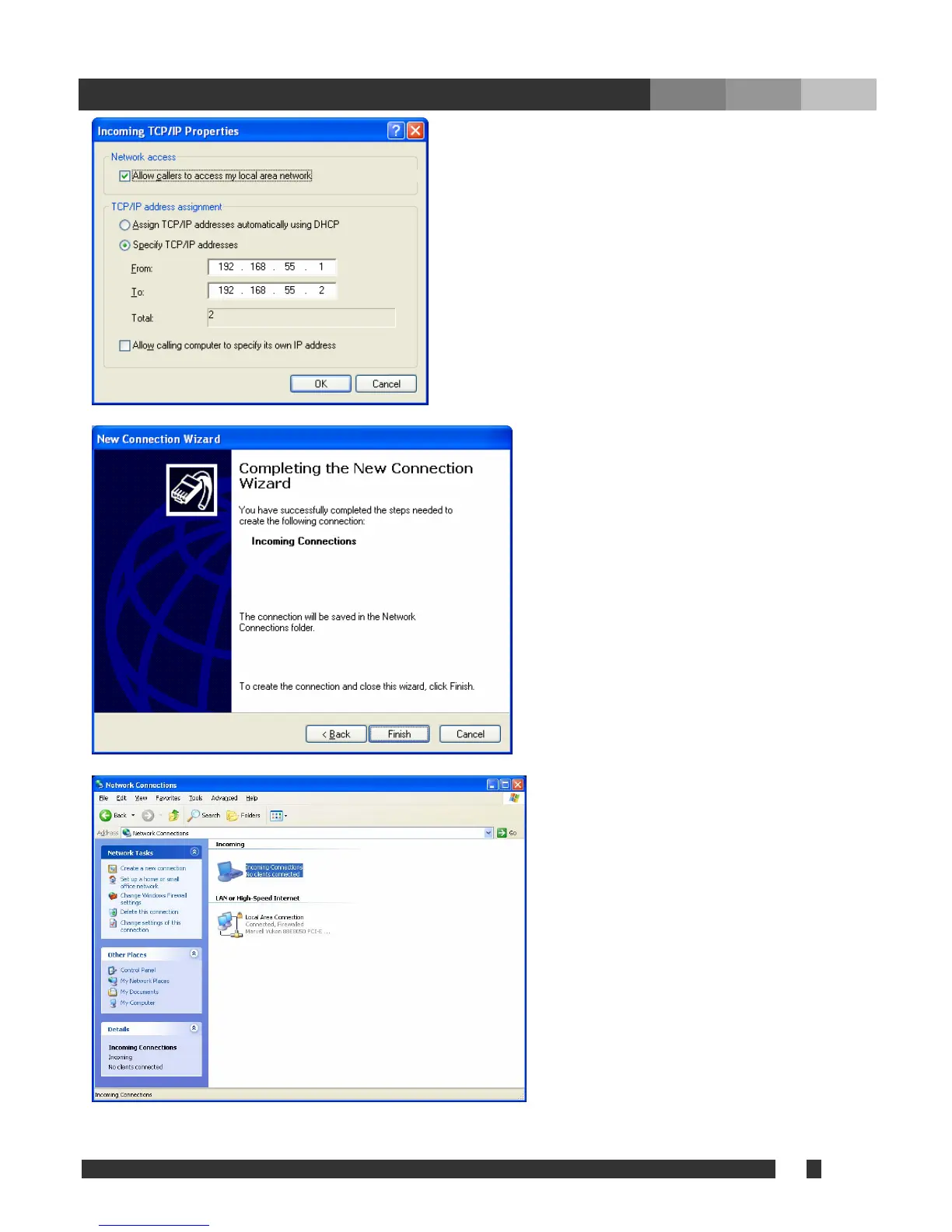
in picture. It is strongly recommended to use as it is
shown. Click “OK”, and click “Next” at the Networking
Components.
When the connection established successfully, ‘From’ IP
and ‘To’ IP will be assigned to the client.
Specify
“Finish e may be used for
connection name.
Upon completion of Network Connection
Wizard, the new connection icon will be
located in Network Connection.
Check “Allow callers to access my local ar
In TCP/IP address assignment, check “Specify TCP/I
addresses”, and fill out from and to IP address as shown
will be the virtual IP of the server, Talon DVR System,
the connection name and click
”. Any nam


 To Next Page