10
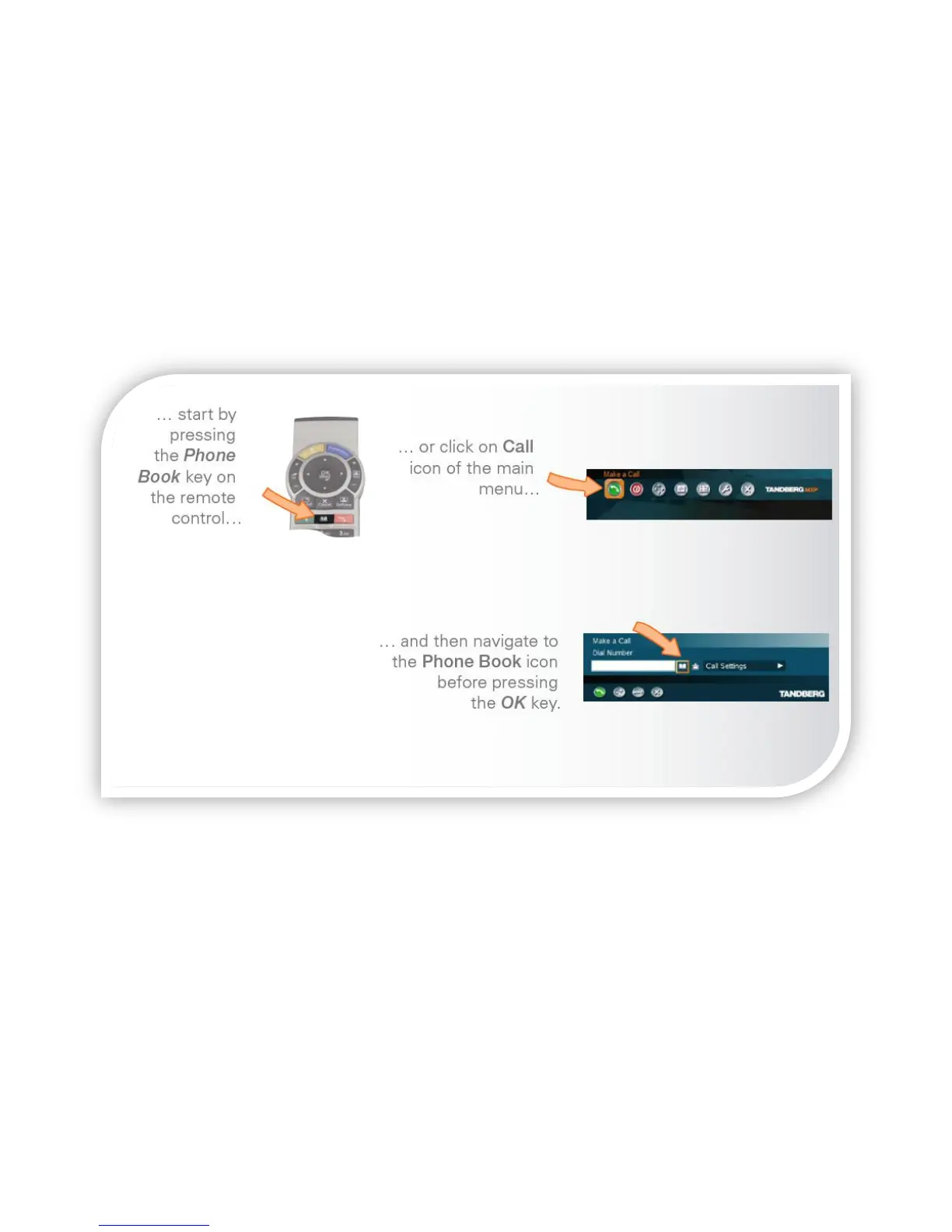
Making calls using the phone book
Making use of the phone book is time saving and prevents you from inadvertently
dialing the wrong number. Contacts are sorted into folders and are sorted
alphabetically. You can search or browse the phone book. The phone book also
shows you recently Placed Calls, Missed Calls and Received Calls.
If you would like to add a contact to the phone book, please send the details to
your RISE consultant librarian or system IT staff.
Use the ARROW keys to navigate the list of contacts. Press the green CALL key to
start calling the selected entry immediately.



 To Next Page