TANDBERG Videoconferencing SystemInstallation
16
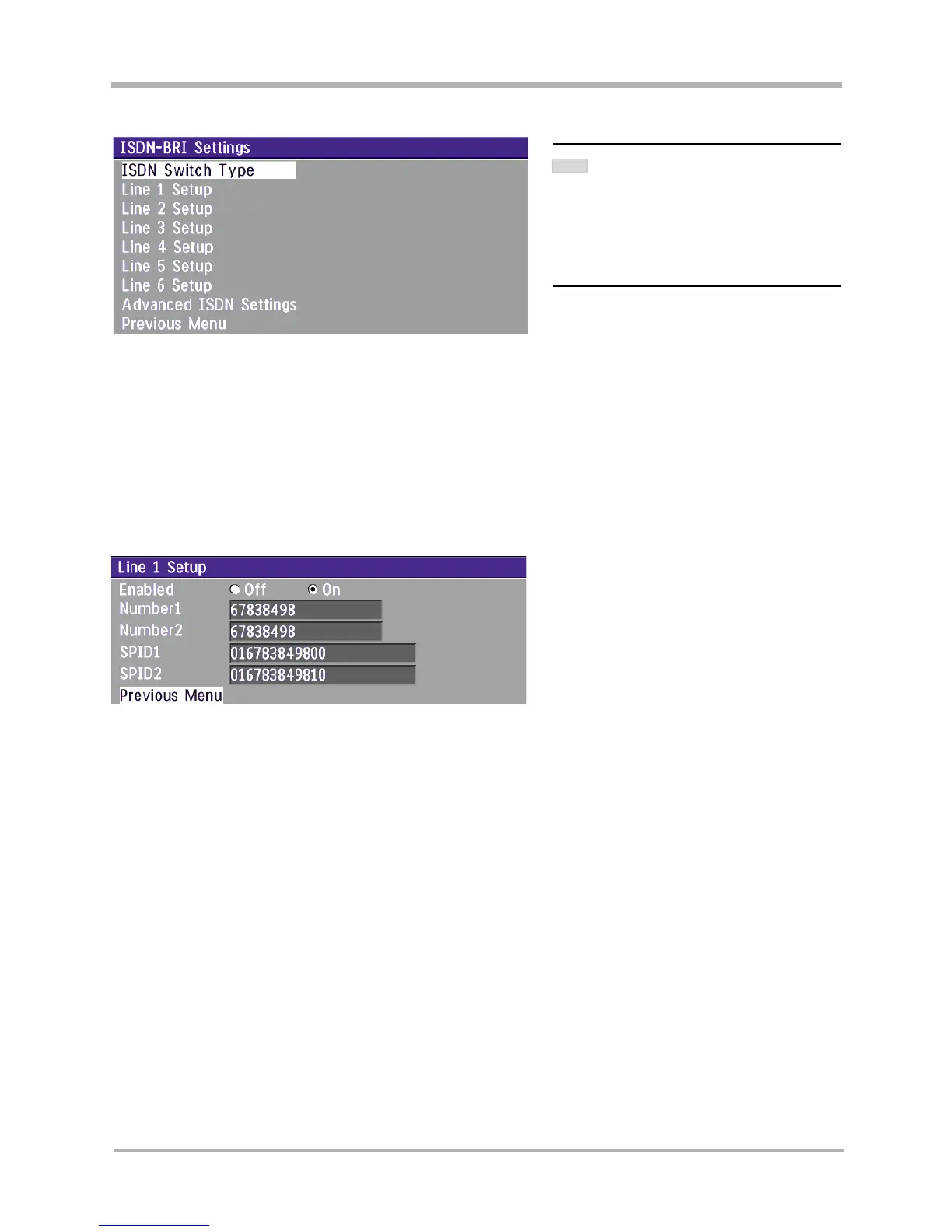
ISDN-BRI Settings
ISDN switch type
Select the type of ISDN network connected to your unit.
Line setup
This menu allows you to program the numbers associated with your ISDN line.
If you want to use this ISDN line, you need to set ‘Enabled: On’ and enter the numbers of your ISDN line. If some
of the ISDN lines are not to be used, set ‘Enabled: Off’. Line 1 should always be enabled.
LAN configuration
• Press MENU on the remote control. Select the menu ‘Terminal Settings’, then ‘LAN Settings’.
Specify the necessary LAN settings according to the instructions from your LAN administrator. If there is an
H.323 Gatekeeper present on your LAN, see also ‘H.323 Settings’.
MANDATORY ISDN-BRI SETTINGS
TO MAKE SURE YOUR SYSTEM WILL WORK PROPERLY
USING
ISDN-BRI, MAKE THE FOLLOWING
SETTINGS
:
- SET ISDN SWITCH TYPE
- ENTER ISDN LINE NUMBERS (+ SPIDS IF
REQUIRED
)
- DISABLE UNUSED LINES
NOTE



 To Previous Page