TANDBERG Videoconferencing SystemGeneral use
6
Add New Entry
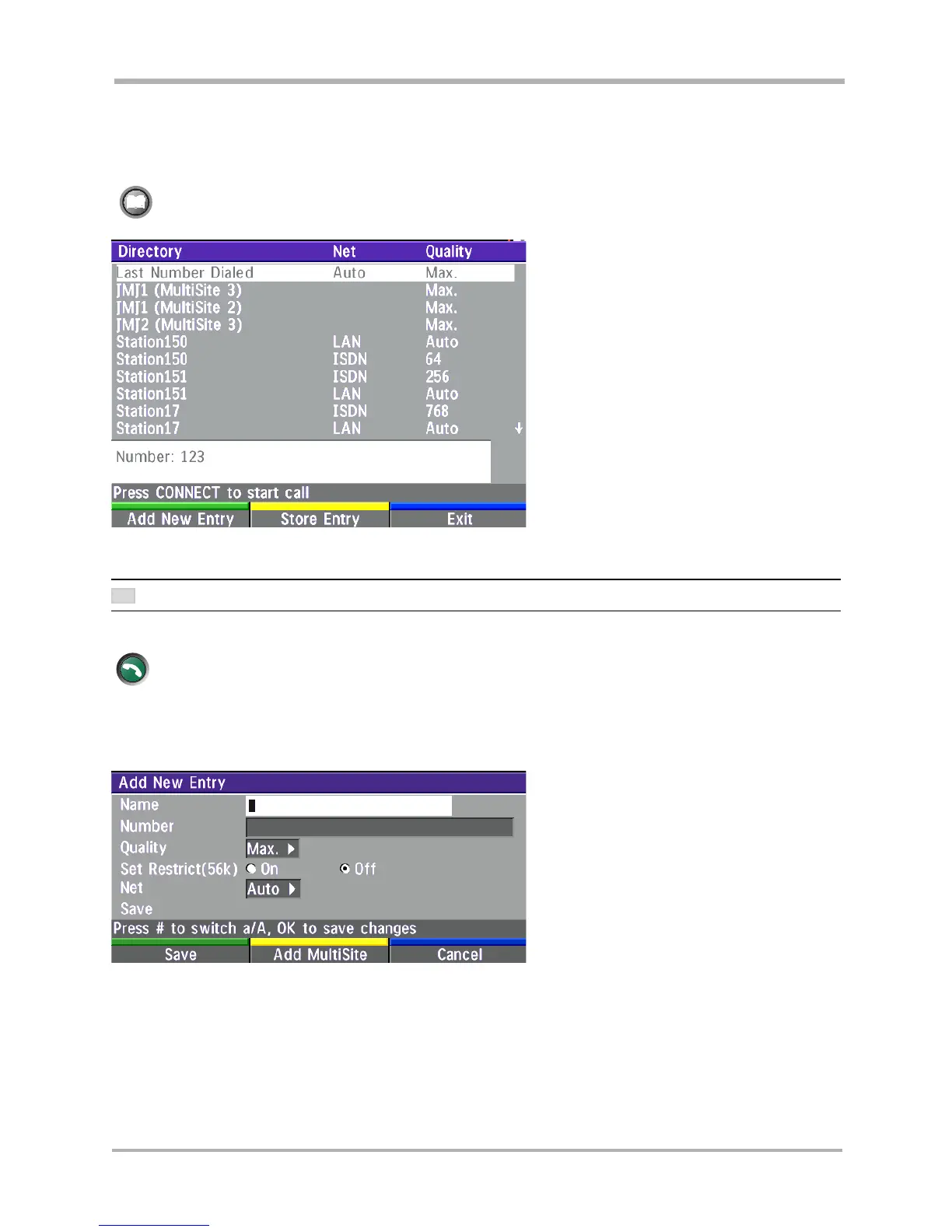
When selecting ‘Add New Entry’, an empty directory entry is displayed:
Enter ‘Name’ and ‘Number’. Specify also ‘Net’ and ‘Quality’ if needed.
Edit Entry
To edit an entry, highlight the entry you want to edit and press ‘Edit Entry’. Edit the entry and select ‘Save’ to
return to the Directory menu.
Delete Entry
To delete an entry, highlight the entry and press DELETE.
To find an entry, key in the first letter, for example T, and scroll with the up/down arrows.
THE LEFT/RIGHT ARROWS WILL MOVE ONE PAGE UP/DOWN.
To dial the selected number press CONNECT. To edit the selected number before dialing, press OK.
Directory
The directory is a local phone book that stores up to 99 directory entries and the last number dialed.
Press DIRECTORY to bring up the following menu:
directory
connect
TIP



 To Next Page