TANDBERG Videoconferencing System General use
9
ENGLISH
Duo Video *
Duo Video is useful if you want to display live video from your document camera or another camera in addition to
live video of yourself.
Add Duo Video
• Press any other video source than used on the main connection during a call. This will open Duo Video directly
if the far end supports the automatic Duo Video functionality.
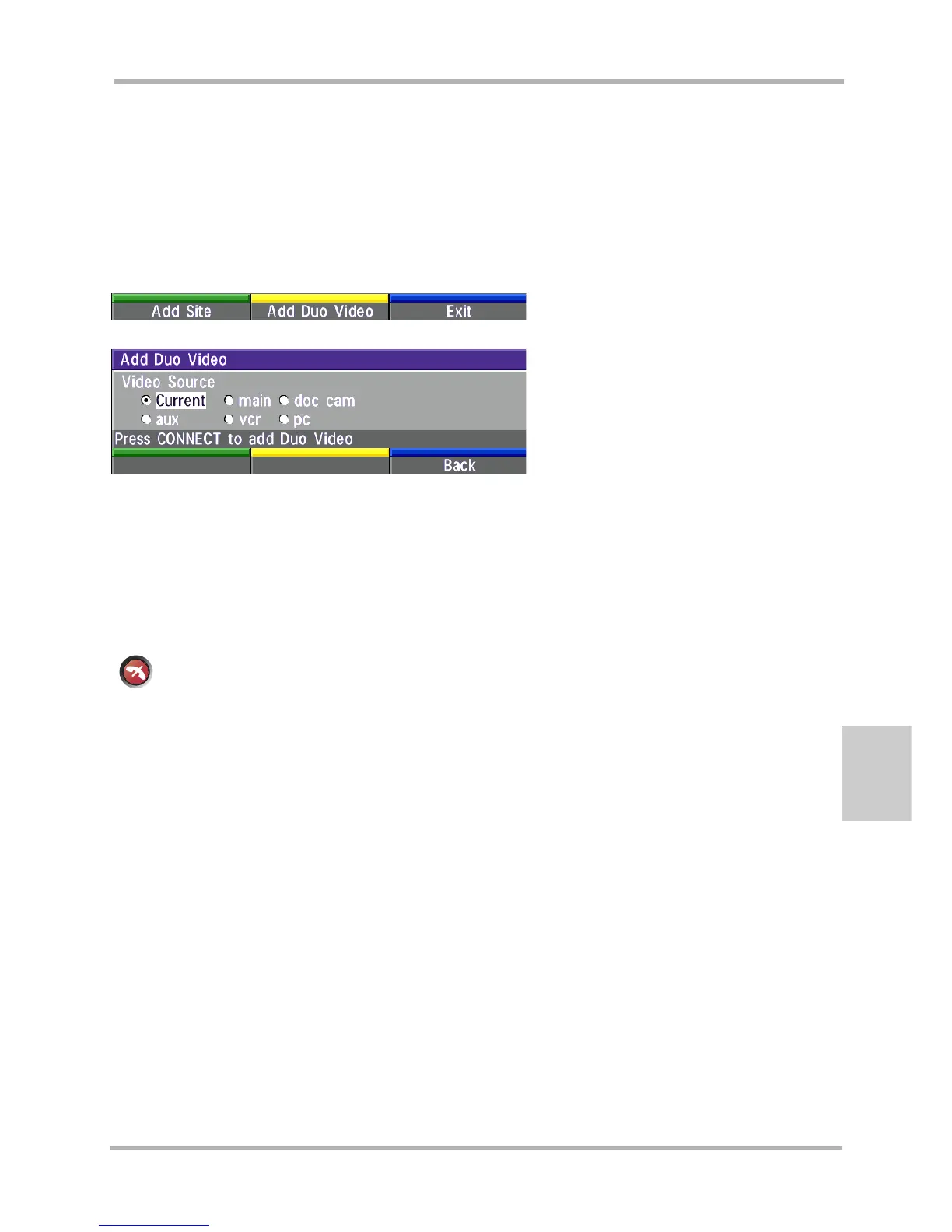
• To use the manual Duo Video functionality, press CONNECT during a call. This will bring up the following menu:
• Select ‘Add Duo Video’. The following menu will be displayed:
• Select video source to transmit on Duo Video.
• Press CONNECT to add Duo Video.
* - Optional feature and not available on all systems.
End a Duo Video call
To end a Duo Video call, press DISCONNECT. Select if you want to disconnect only the Duo Video
connection or the whole connection.
disconnect
Controlling camera, changing video source, presets in a Duo Video call
The main monitor will always display incoming video. The 2nd monitor will display outgoing video.
Pressing SELFVIEW will toggle Duo Video full screen / Main source in PIP and vice versa.
Pressing MOVE PIP will move PIP only on the 2nd monitor.
Controlling the camera, changing video source, using presets will affect the video source currently displayed in full
screen mode.
If both connections are selected to display the same video source, Duo Video will be closed.



 To Next Page