EasyManua.ls Logo

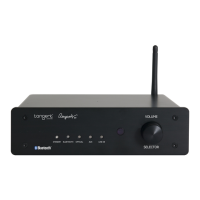
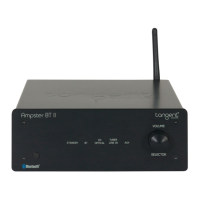
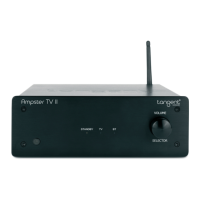
Tangent AMPSTER - User Manual

Tangent AMPSTER
7 pages
Print Icon
To Next Page IconTo Next Page
Loading...
!"#$%&'
()*)+$%&'&,+-"#.)/)&'
0$&'1$+"-*2-.
3'24&'"-*2-.
(,5&+51&"#.,)
3&5)&*2*4$-*.&)%2*4
3'26$-*7)$*)*4
89:%%;,#-$
(-*2-.+5&.+2$2-'),
Ampster-BT_manual-draft.indd 1 23-09-2015 14:16:46
Question and Answer IconNeed help?

Do you have a question about the Tangent AMPSTER and is the answer not in the manual?

Summary

Amplifier Component Identification

Package Contents

Lists items included in the product package, such as remote control and manual.

Remote Control Operations

Connecting the Amplifier

Instructions for connecting the amplifier to power and audio sources.

Bluetooth Pairing Procedure

Steps to connect a Bluetooth device to the amplifier for wireless audio streaming.

Connecting Your Devices

Device Connection Guide

Instructions for connecting loudspeakers, subwoofer, and audio sources like CD players and phones.

Indicator and Control Functions

Power and Standby Indicators

Explanation of the power indicator light and standby mode behavior.

Input Source Indicators

Details on indicator lights for Bluetooth, Optical, AUX, and Line-in inputs.

Volume and Input Selector

Functionality of the volume knob and input switching button.

Important Safety Instructions

Electrical Safety Precautions

Guidance on preventing electrical shock, fire hazards, and proper usage.

Environmental Disposal

Information on proper disposal of the product and batteries for environmental protection.

Product Specifications

Summary

Amplifier Component Identification

Package Contents

Lists items included in the product package, such as remote control and manual.

Remote Control Operations

Connecting the Amplifier

Instructions for connecting the amplifier to power and audio sources.

Bluetooth Pairing Procedure

Steps to connect a Bluetooth device to the amplifier for wireless audio streaming.

Connecting Your Devices

Device Connection Guide

Instructions for connecting loudspeakers, subwoofer, and audio sources like CD players and phones.

Indicator and Control Functions

Power and Standby Indicators

Explanation of the power indicator light and standby mode behavior.

Input Source Indicators

Details on indicator lights for Bluetooth, Optical, AUX, and Line-in inputs.

Volume and Input Selector

Functionality of the volume knob and input switching button.

Important Safety Instructions

Electrical Safety Precautions

Guidance on preventing electrical shock, fire hazards, and proper usage.

Environmental Disposal

Information on proper disposal of the product and batteries for environmental protection.

Product Specifications

Tangent AMPSTER Specifications

General IconGeneral
DACYes
Frequency Response20 Hz - 20 kHz
Total Harmonic Distortion<0.1%
Power Output2 x 50W
InputsBluetooth
BluetoothYes
OutputsSpeaker terminals
Input Impedance47kΩ

Related product manuals