13
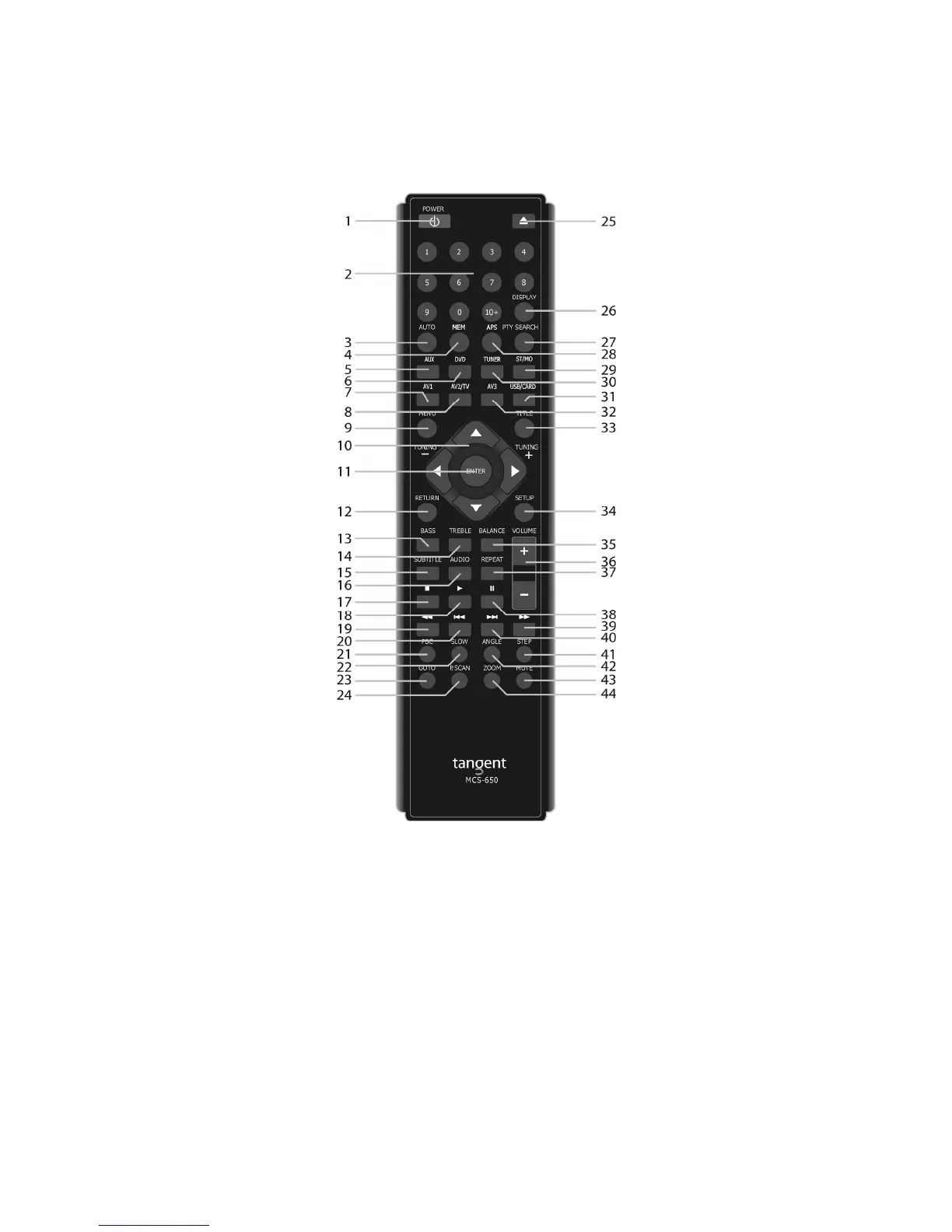
REMOTE CONTROL
1. Power
Sets the unit into standby and turns it on.
2. 0-9 digits
Selects the station saved or the track at the current number. If pressed in combination with the +10
button numbers larger than 9 can be selected. If the buttons are pressed for more than two seconds, a
station will be saved at the current number.
3. Auto
Enables and disables auto and manual search
4. Mem
Use this button in combination with the 0-9 button to store a radio channel to a preset.
Press MEM, press the preferred number and press MEM again to store.
5. AUX
Press this button to select the auxiliary input on the rear panel.



 To Next Page