24
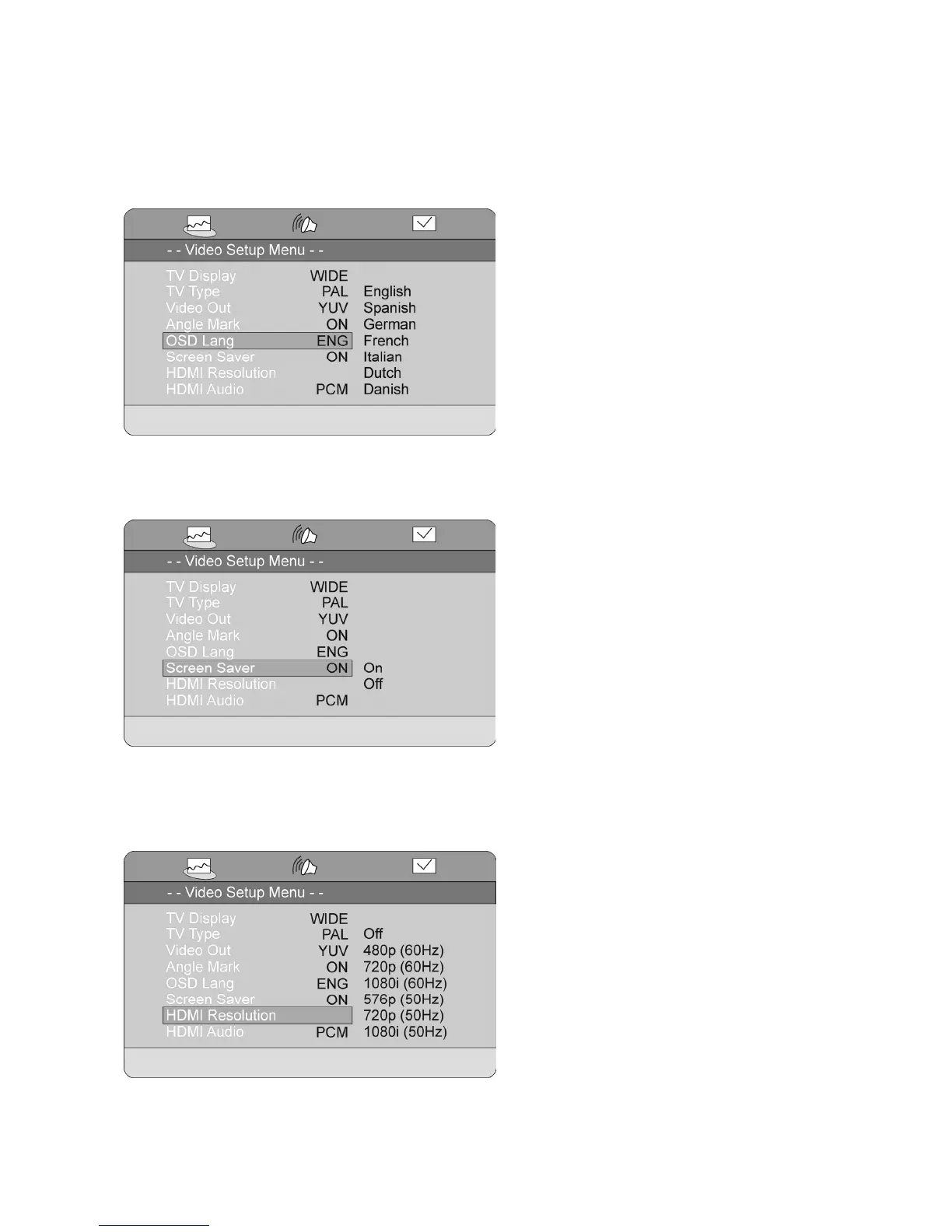
OSD Language
Here you can change the language of the setup menu and other messages shown on the screen.
Note: The languages available in this menu can vary.
Screen Saver
This function will start a screen saver similar to the one known from a computer after approximately
60seconds. You can choose between ON and OFF.
HDMI Resolution
Here you can set the resolution of the HDMI output. Choose between:
Off, 480p(60Hz), 720p(60Hz), 1080i(60Hz), 576p(50Hz), 720p(50Hz), 1080i(50Hz).
Note: Please make sure the HDMI output setting matches the specifications of your screen.



 To Next Page