40
This chapter includes important reference information
to help you set your DVD/VCR Combi receiver.
Speaker Setup
Make the following settings for the built-in 5.1 channel
surround decoder.
1. Press SETUP. The setup menu appears.
2. Use v / V to select the AUDIO option then press
B to move to the second level.
3. Use v / V to select the Speaker Setup option then
press B to move to the third level. “Select” is high-
lighted.
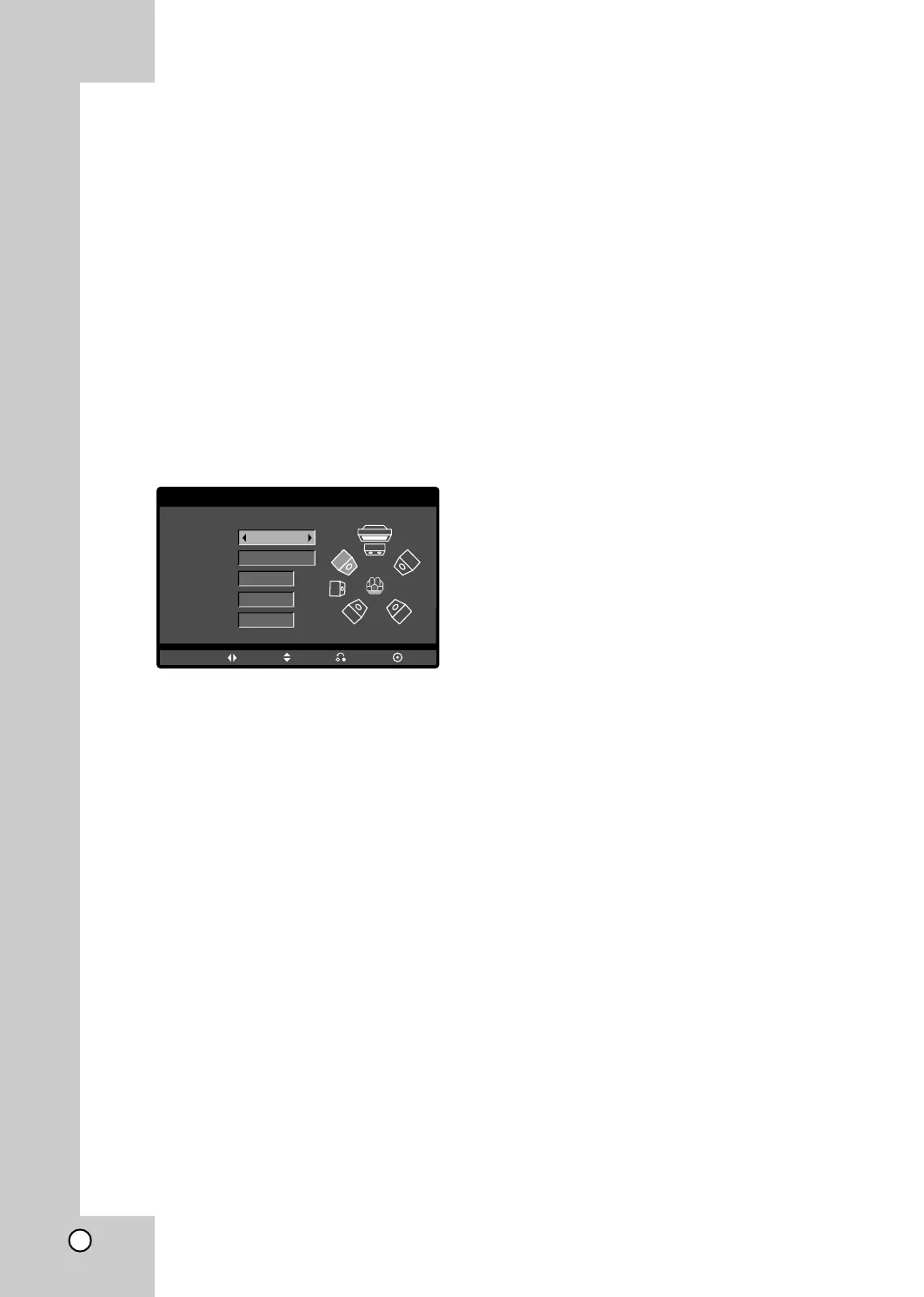
4. Press ENTER and 5.1 Speaker Setup menu
appears.
5. Use b / B to select the desired speaker.
6. Adjust options using v / V / b / B buttons.
7. Press RETURN to return to the menu screen.
Speaker selection
Select a speaker that you want to adjust. (Front
speakers (Left), Center Speaker, Front speakers
(Right), Rear speakers (Right), Rear speakers (Left),
or SubWoofer)
Note:
Certain speaker settings are prohibited by the Dolby
Digital licensing agreement.
Size
Since the speaker settings are fixed, you cannot
change the settings.
Volume
Press b / B to adjust the output level of the selected
speaker. (-6dB ~ 6dB)
Distance
If you connected speakers to your DVD/VCR Combi
receiver, setting the Distance lets the speakers know
how far the sound has to travel to reach your set lis-
tening point. This allows the sound from each speaker
to reach the listener at the same time.
Press b / B to adjust the Distance of the selected
speaker.
[0.3(1)m(ft) - 6.0(20)m(ft)]
Test
Press b / B to test the signals of each speaker. Adjust
the volume to match the volume of test signals memo-
rized in the system.
Front Left (L) → Center → Front Right (R)
→ Rear Left (R) → Rear Right (L) → SubWoofer
AUDIO
Speaker
Volume
Distance
Test
Move Return
Select
Size
Front L
Small
0
dB
m(ft)
0.6(2)
Off
Enter
5.1 Speaker Setup



 To Next Page