11
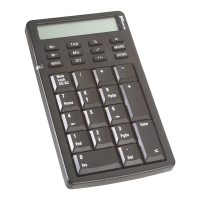
Targus Wireless Calculator Keypad
Example: The parameter is 34 and the currency amount
you want to convert is 180.
A With the "CUR" indicator displayed
on the LCD:
› Enter 180 and press the CUR key to calculate 180*
34. The calculation result will be 6120.
B With the "CUR" indicator not displayed
on the LCD:
› Enter 180 and press the CUR key to calculate 180/
34. The result will be 5.29.
Euro Function:
1 Press the € key for 1.5~2 seconds
The "Euro" indicator on the LCD will start flashing.
2 Input your desired parameter then press the € key again.
The "Euro" indicator will disappear to indicate the setting
is accomplished.
When the LCD displays "0", you can press the "€" to
enable or disable the indicator on the LCD.
With your parameter numerals displayed on the LCD, press
the "Euro" button and it will exchange to the tax rate.
Example: The Euro parameter is 105 and the currency
amount you want to convert is 180.
1 With the "Euro" indicator displayed
on the LCD:
a Press Euro key to calculate 180*105. The result will
be 18900.
2 The "Euro" indicator not displayed
on the LCD:
a Press the Euro key to calculate 180/105. The result
will be 1.71.


 To Next Page
 Loading...