13
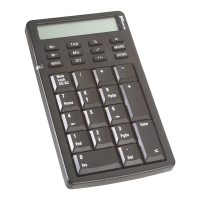
Targus Wireless Calculator Keypad
• If necessary, use the supplied extension cable
to keep the receiver away from the computer. Plug the
receiver into the extension cable, and the extension cable
to the computer.
Things to Remember
Power Management
• To extend the life of your batteries, power off the battery
with the on/off switch located on the back of the keypad
while traveling or when you’re not using it.
• Battery Low Indicator: LED flashes
NOTE: Please replace the batteries when the Battery
low LED starts flashing.
• The keypad’s power saving mode feature activates after 4
minutes of non-operation. To activate the keypad, press
the NumLock key.
Specifications
Operation
Frequency 27 MHz
Operating Distance Up to 3.3 feet (1 m)
Operating Voltage Calculator/Keypad: 2.4V
Receiver: 5V
Operating Current Calculator/Keypad: 10mA maximum
Receiver: 16mA maximum
Suspend Mode Calculator/Keypad: Below 300 uA



 To Next Page
 Loading...