15
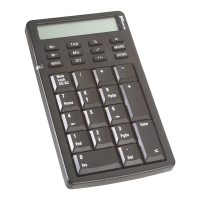
Targus Wireless Calculator Keypad
What do I do if the response time of the calculator/
keypad is slow or it intermittently stops working?
Try one or more of the following:
• Increase the distance between the receiver and the rest
of your computer equipment.
• Increase the distance between the receiver and the base
units of other wireless devices.
• Turn off any wireless devices and their base units that are
near the keypad’s receiver.
• If you are using the keypad on a metal surface, move it
and the receiver to a non-metal surface. Metals, such as
iron, aluminum or copper, shield the radio frequency
transmission and may slow down the keypad’s response
time or cause the keypad to fail temporarily.
• Replace the batteries.
Technical Support
For technical questions, please visit:
US
Internet: http://www.targus.com/support.asp
Australia
Internet: www.targus.com.au
Email: infoaust@targus.com
Monday through Friday, 8:30 a.m. (08:30) to 5:30 p.m.
(17:30) Eastern time: 1-800-641-645
New Zealand
Monday through Friday, 8:30 a.m. (08:30) to 5:30 p.m.
(17:30) Eastern time: 0800-633-222



 To Next Page
 Loading...