14
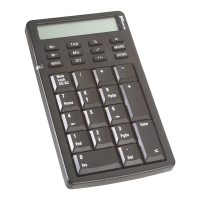
Targus Wireless Calculator Keypad
Troubleshooting
What do I do if the keypad does not work?
• Make sure that the polarity of the batteries is correct. The
positive (+) and negative (-) ends of each battery must
match the positive (+) and negative (-) connections in the
battery housing.
• Check that the receiver’s USB connector is firmly
attached to the USB port on your computer.
• Verify that the device drivers are installed.
• Make sure you have established a communication link.
See “Establishing a Communications Link” on page 5.
When I use the calculator/keypad, other wireless
devices work more slowly or fail temporarily – what
should I do?
• The calculator/keypad may cause interference with any
cordless, radio-based device that operates at 27 MHz,
such as a telephone, baby monitor, or toy. To reduce
interference, move the calculator/keypad’s receiver and
the base unit of the affected device as far away from each
other as possible.
• You can also reset the calculator/keypad’s identification
code. To do this, see “Establishing a Communications
Link” on page 5.
Dimensions Calculator/Keypad: 6.3 x 3.5 x 1 inches
(161 x 90 x 26.5 mm)
Receiver: 3.75 x 0.9 x 0.5 inches
(95 x 22 x 12.7 mm)
Weight Calculator/Keypad: 6.3 ounces (180 g)
Receiver: 0.35 ounces (10g)



 To Next Page
 Loading...