3
Targus Wireless Calculator Keypad
Installing the Batteries
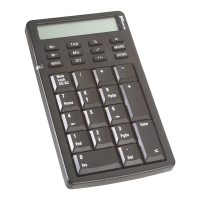
Calculator/Keypad - back view
1 Remove the battery cover from the back of the keypad.
2 Insert the supplied batteries, making sure that the
positive (+) and negative (-) ends of each battery match
the polarity indicators inside the battery housing.
WARNINGS: When replacing the batteries, you may use
alkaline or other heavy-duty NiMH batteries. Never
combine an alkaline with a NiMH battery in a device.
Avoid mixing new and used batteries in a device.
3 Slide the battery cover back into position until it “clicks”
firmly into place.
Receiver
Battery
Cover














 To Next Page