7
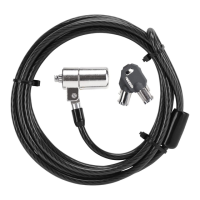
Targus Notebook Security DEFCON® CL Combo Cable Lock
DEFCON CL
2 Press and hold the locking button to align the locking
teeth.
NOTE: F
OR THE LOCKING BUTTON TO DEPRESS COMPLETELY YOU MUST
ENTER
THE CORRECT COMBINATION.
3 Insert the DEFCON CL into your notebook computer’s
lock slot and release the locking button.
NOTE: D
UE TO THE VARIATION IN THE SIZE OF THE SECURITY SLOTS ON
VARIOUS
NOTEBOOK MODELS, YOU MAY FIND THAT THERE IS SOME SLACK
BETWEEN
THE LOCK AND THE COMPUTER. THE SUPPLIED DEFCON
S
ECURESPACERS ARE THE BEST SOLUTION FOR OPTIMAL FIT AND SECURITY.
4 Turn the dials to conceal your combination.
Due to differences in the size of the security slots on
various notebook computers, you may find that there
is some slack between the DEFCON locking device
and the computer. The DEFCON SecureSpacers
provide optimal fit and security.
Locking button
Locking teeth
SecureSpacer



 To Next Page