6
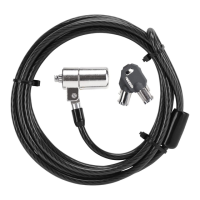
Targus Notebook Security DEFCON® CL Combo Cable Lock
1 Take the looped end of the cable and wrap it around
the selected object.
NOTE: W
RAP THE CABLE AROUND A PART OF THE OBJECT THAT WILL DETER
AN
INTRUDER FROM SLIPPING THE CABLE OFF (FOR EXAMPLE, A TABLE OR
DESK
LEG WITH A CROSS BAR OR A DRAWER HANDLE).
2 Feed the lock through the looped end of the cable as
shown.
Securing the DEFCON CL to an object
Locking the DEFCON CL to
your Notebook Computer
NOTE: HOLD THE DEFCON CL WITH BOTH HANDS FOR ADDITIONAL
STABILITY
WHILE INSERTING OR REMOVING THE LOCK.
1 Using the dials, enter the correct combination.
The combination appears in the windows.



 To Next Page