EasyManua.ls Logo

Targus DOCK180USZ - User Manual

Targus DOCK180USZ
2 pages
Print Icon
To Next Page IconTo Next Page
Loading...
USB-C
DUAL VIDEO 4K
DOCKING STATION
WITH
POWER DELIVERY
QUICK START GUIDE
410-3652-001B / DOCK180USZ
Workstation Setup
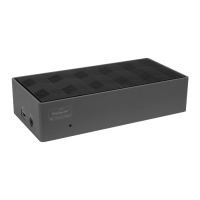
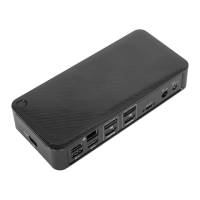
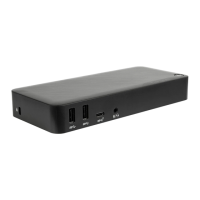
Docking Station Diagram
1. Connect all peripheral devices to the docking station
2. Connect the Targus Universal Docking Station to your host device.
3. If your host device does not connect via USB-C, use the included
USB-C to USB-A adapter as shown below.
+
Features and specifications are subject to change without notice. Microsoft
and Windows are registered trademarks of Microsoft Corporation in the United
States and/or other countries. All trademarks and registered trademarks are
the property of their respective owners. ©2017 Targus, 1211 North Miller
Street, Anaheim, CA 92806
Contents
Targus USB-C Dual Video 4K Docking Station
with Power Delivery 2.0 (60W)
USB-C Cable
AC Power adapter
USB-C to USB-A adapter
Specifications
2 x DisplayPort (DP++; DP1.2) / HDMI Port (HDMI 2.0)
4 x USB 3.0 downstream ports (port marked with supports BC 1.2
and iOS device charging at 2.4A max)
1 x USB-C upstream port with supporting Power Delivery 2.0 Profile 4
(up to 60W max. charging)
1 x USB-C downstream port (USB 3.0, data transfer only)
Gigabit Ethernet
Audio In/Out ports (3.5mm headset connector)
Security lock slot
USB-C cable
LED Power Indicator
Power ON/OFF button
20.5V, 120W power adapter
Gigabit
Ethernet
DP++HDMIDP++HDMI
Power
ON/OFF
Power InUSB 3.0
USB to
Laptop Port
Lock Slot
Audio
Headset Connector
USB-C Port
USB 3.0 Port
(supports charging)
Attach to DOCK180
Attach to PC
Question and Answer IconNeed help?

Do you have a question about the Targus DOCK180USZ and is the answer not in the manual?

Targus DOCK180USZ Specifications

General IconGeneral
Microphone inYes
USB 2.0 ports quantity-
Connectivity technologyWired
USB 3.2 Gen 1 (3.1 Gen 1) Type-A ports quantity4
USB 3.2 Gen 1 (3.1 Gen 1) Type-C ports quantity1
Product colorBlack
Cables includedUSB Type-C
Weight and Dimensions IconWeight and Dimensions
Depth91.5 mm
Width171.5 mm
Height38.1 mm
Weight367 g

Summary

Workstation Setup Guide

Connecting Peripherals and Host

Guides users through connecting peripherals, the docking station to the host, and using adapter if needed.

Product Specifications and Diagram

Connectivity and Power Details

Details the types and number of ports, including USB-C, DisplayPort, HDMI, and power adapter.

Component Identification Diagram

Illustrates the physical layout of ports and indicators on the docking station.

System Requirements

Hardware and OS Compatibility

Lists required hardware and compatible operating systems for the docking station.

Software Setup and Configuration

Windows Setup and Drivers

Guides on updating drivers and configuring DisplayLink Manager for Windows.

macOS and Android Setup

Instructions for OS-X driver installation and Android app setup for display functionality.

Support, Warranty, and Compliance

Technical Support and Registration

Provides contact details for support and instructions for product registration.

Regulatory Compliance and Warranty

Details FCC/CE compliance, EU directives, and the three-year product warranty terms.

Related product manuals