
 Need help?
Do you have a question about the Targus DOCK190USZ and is the answer not in the manual?
Connect all peripheral devices to the docking station before connecting to the host device.
Connect the Targus Universal Docking Station to your host device via USB-C.
Use the included USB-C to USB-A adapter if the host device does not connect via USB-C.
Locate the correct power tip for your laptop; test fit if necessary.
Connect the AC power adapter to the power cord and then to the docking station.
Dual DisplayPort (DP++) or HDMI ports supporting up to 4K resolution.
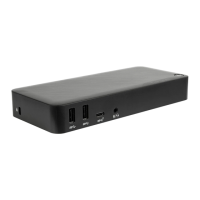
Four USB 3.0 downstream ports (one with BC 1.2 charging) and one USB-C downstream port.
One USB-C upstream port with Power Delivery 2.0 (up to 100W charging).
Includes Gigabit Ethernet, Audio In/Out, security lock slot, and LED indicator.
Install DisplayLink software from targus.com for OS-X to manage external monitors.
Configure resolution, orientation, and layout of additional USB displays in System Preferences.
Update host PC Display Adapter and USB 3.0 drivers for optimal performance.
Install or use DisplayLink Manager for connecting additional monitors and configuring displays.
Device complies with FCC Rules Part 15, tested for Class B digital device limits.
Targus warrants products against defects in materials and workmanship for three years.
Warranty excludes damage from misuse, accidents, or use with non-Targus products.
 General
| Brand | Targus |
|---|---|
| Model | DOCK190USZ |
| Category | Docking Station |
| Language | English |


 To Next Page
