U s e r M a n u a l M D T 8 0 0 0 | 8
Control Panel
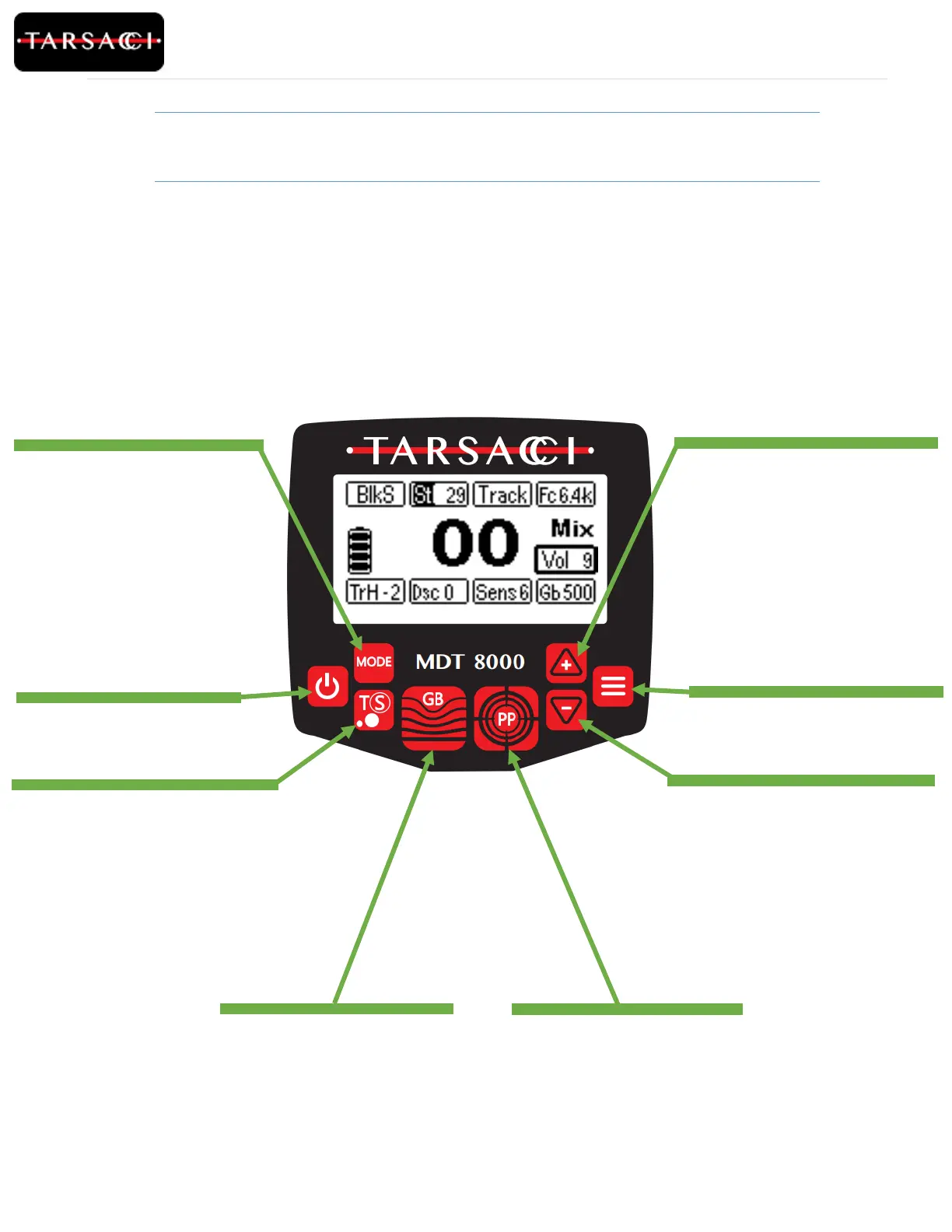
Power Button
Turn on/off the Metal Detector.
When the metal detector is powered
off, it will retain all current settings.
.
GB (Ground Balance) Button
Automatic ground balance. Please
refer to the “Auto Ground Balance
Procedure” section for more details.
.
Menu Button
Press and release the Menu button to
highlight and move the cursor to: “Trh”,
“Dsc”, “Sens”, or “Gb” icons. Press and
hold the Menu button for more than 3
seconds so the cursor highlights the “Fc”
icon.
TS (Terrain Select) Button
Press and release to toggle the
cursor between “BlkS” and “St/Salt”. Press
and hold the “TS” button for more than 3
seconds to activate or deactivate the
Tracking.
Minus Arrow Button
Decrement the setting icon highlighted by
the cursor. Press and release the button to
decrement the setting by “1”.Press and hold
the button to decrement the setting
sequentially.
Plus Arrow Button
Increment the setting icon highlighted by
the cursor. Press and release the button to
increment the setting by “1”.Press and hold
the button to increment the setting
sequentially.
PP (Pin Point) Button
Press and hold the Pin Point button to
activate Pin Point mode.
MODE Button
If the cursor highlights the BlkS or St/Salt
icons, the MODE button activates or
deactivates black sand or salt mode.
If none of these icons are highlighted by
the cursor, the MODE button toggles
between: “Mix”(Mix Mode), “Disc”
(Discrimination mode) and “All M” (All
Metal Mode).



 To Next Page