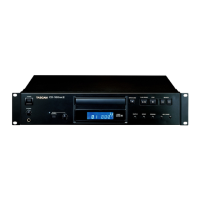
TASCAM CD-200SB
13
2 – Names and functions of parts
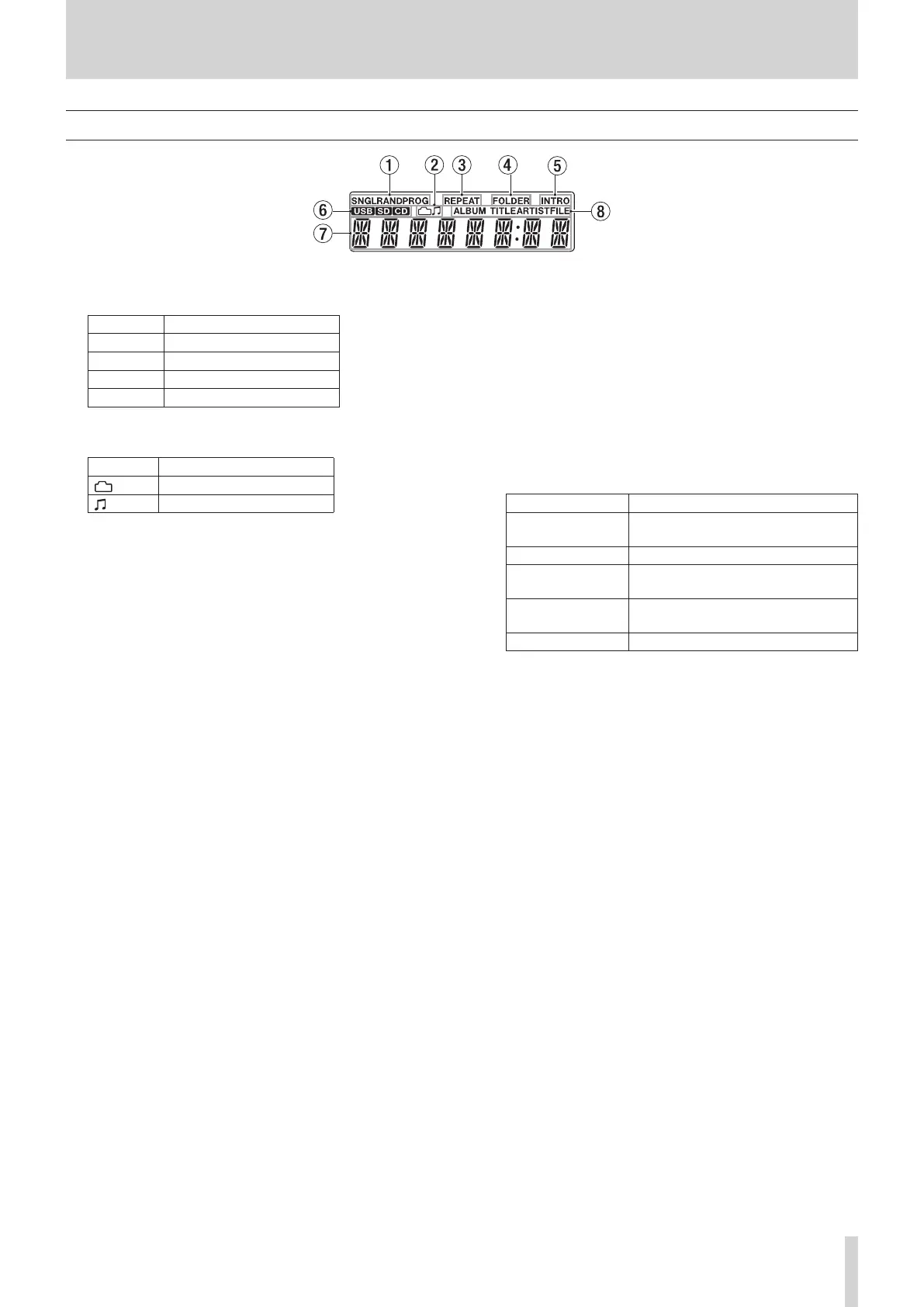
Display
1 Playback mode indicator
This shows the current playback mode.
Indicator Playback mode
None Continuous playback mode
SNGL
Single playback mode
RAND
Random playback mode
PROG
Program playback mode
2 Folder/audio file indicator
When in browse mode, this shows the selected data type.
Indicator Meaning
Folder selected
Audio file selected
3 REPEAT indicator
REPEAT
appears when the repeat playback function is ON.
4 FOLDER indicator
FOLDER
appears when the playback area is set to
FOLDER
.
5 INTRO indicator
INTRO
appears when the intro check function is ON.
6 Current media indicator
This shows the currently selected media type.
7 Main display area
The track number and time or text information is shown.
The status of the unit (
OPEN
,
CLOSE
,
TOC
*
READ
, etc.) and
messages (
NO DISC
, etc.) are also shown. Items with more
than eight characters are scrolled when shown.
* TOC means “Table Of Contents,” which is track information
written on the disc
8 Main display information type indicator
When text information is shown in the main display area,
these indicate the type of information.
Indicator Meaning
ALBUM TITLE
CD-TEXT album title or current folder
name
ALBUM ARTIST
CD-TEXT album artist
TITLE
CD-TEXT track title or track title of the
current file (from its tag data)
ARTIST
CD-TEXT track artist or track artist of
the current file (from its tag data)
FILE
Current file name



 To Next Page