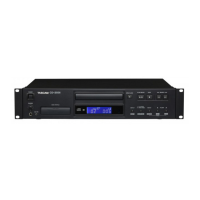
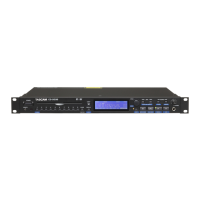
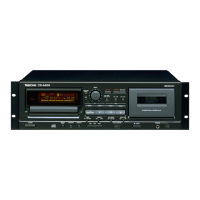
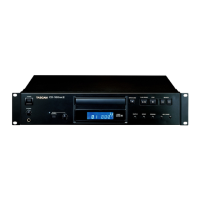
TASCAM CD-200SB
5
Contents
1 – Introduction ...................................................................... 7
Features .................................................................................. 7
Included items .....................................................................7
Conventions used in this manual ..................................7
Trademarks ............................................................................8
Precautions for placement ..............................................8
Power supply ........................................................................ 8
Beware of condensation ...................................................8
Cleaning the unit .................................................................8
SD cards and USB flash drives ........................................9
Handling precautions ................................................. 9
About media that have been confirmed
for use with this unit ...................................................9
SD card/USB flash drive write-protection ........... 9
Precaution regarding use
with Mac operating systems .................................... 9
About discs ............................................................................ 9
Handling of compact discs ....................................... 9
2 – Names and functions of parts ..........................10
Top panel .............................................................................10
Rear panel ............................................................................ 12
Display ...................................................................................13
Remote control unit (TASCAM RC-CD200SB) ..........14
3 – Preparations .................................................................... 16
Making connections ........................................................16
Preparing the remote control .......................................17
Inserting batteries ......................................................17
Replacing the batteries ............................................17
Cautions about the use of batteries ....................17
Cautions about using the remote control .........17
Loading a CD ......................................................................17
Inserting and removing SD cards ...............................18
Inserting SD cards ......................................................18
Removing SD cards....................................................18
SD card write-protection switches ......................18
Connecting and disconnecting USB flash drives ..19
Connecting USB flash drives ..................................19
Disconnecting USB flash drives ............................19
Selecting the playback media ...................................... 19
4 – Playback ..............................................................................20
Playable media and files ................................................ 20
Folders and tracks on data CDs,
SD cards and USB flash drives ......................................20
Playback area ..................................................................... 21
Setting the playback area .......................................21
Playback modes .................................................................21
Selecting the playback mode ................................22
Playback................................................................................22
Selecting a track ................................................................23
Skipping to the next or previous track ...............23
Selecting by track number .....................................23
Search forward and backward .....................................23
Folder playback
(data CDs/SD cards/USB flash drives) ......................... 24
Setting the playback folder ....................................24
Programmed playback ....................................................24
Setting the program .................................................25
Checking the program .............................................26
Replacing a program track .....................................26
Adding more program tracks ................................26
Clearing the program ...............................................26
Repeat playback ................................................................27
Time and text information display .............................27
Pitch control (with CDs only) .........................................28
Intro Check function ........................................................29
5 – Browsing ............................................................................ 30
Browsing folders and files .............................................. 30
6 – Direct folder function..............................................32
Saving direct folder settings .........................................32
Assigning direct folders .................................................. 32
Assigning direct folders individually ..................33
Automatically assign all direct folders
(AUTO SET) ....................................................................33
Changing individual direct folder assignments .....34
Direct folder playback ....................................................35
Setting the playback area with direct folders ..35
Selecting the playback mode
with direct folders ...................................................... 35
Using folder search/browse functions
during direct folder playback ................................36
Clearing direct folder assignments ............................36
Clearing individual direct folder assignments 36
Clearing all direct folder assignments
(CLEAR ALL) ..................................................................37
7 – Dubbing (copying) .....................................................38
Dubbing overview ............................................................38
Dubbing ...............................................................................39
Dubbing using a 1–10/0 button that already has a
direct folder assignment ................................................40
Recording times when dubbing ..................................41
8 – Erase folder function ...............................................42
Erasing folders ....................................................................42



 To Next Page