Z9
20
4.4.1 Manual programme
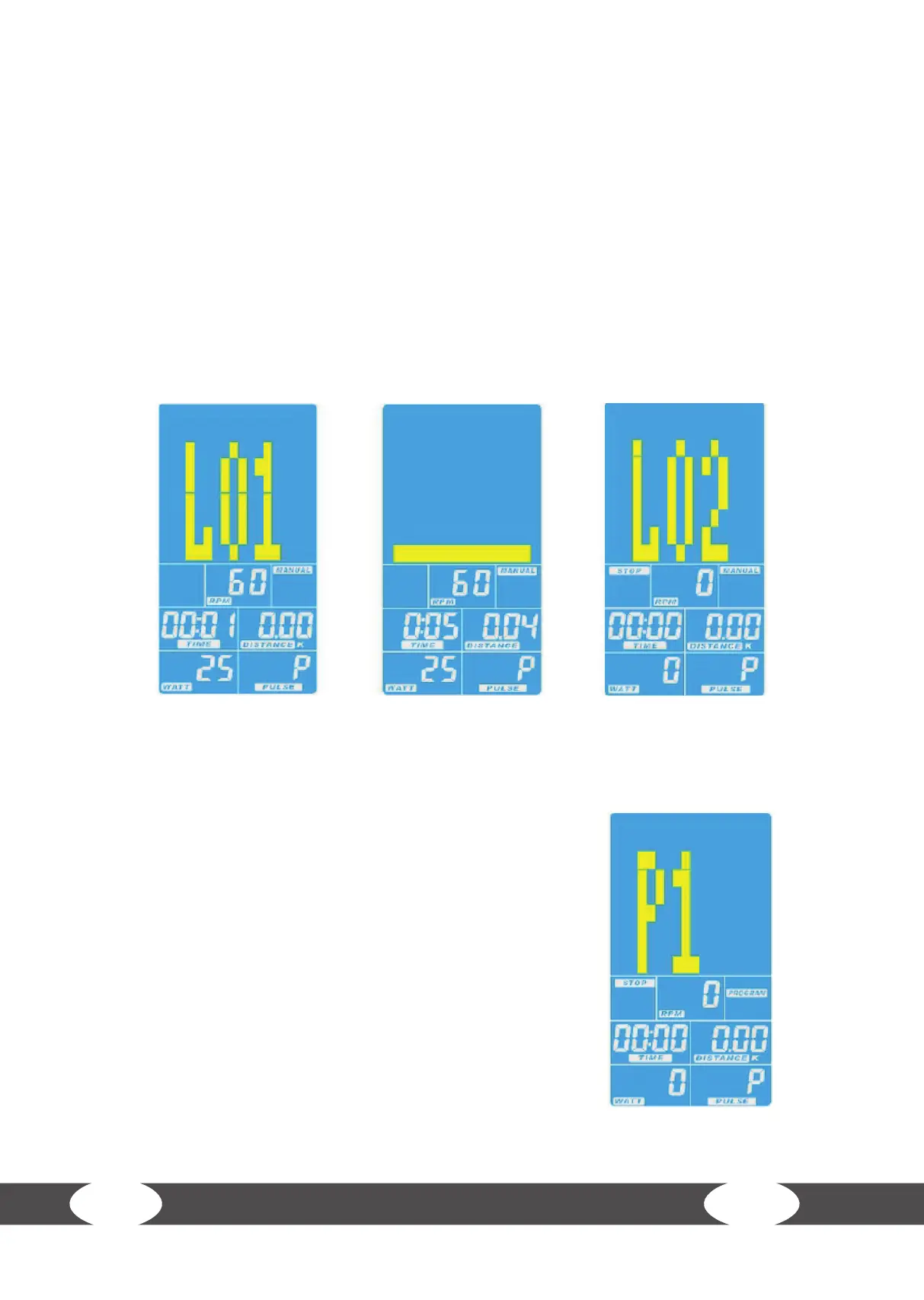
When you have chosen the manual programme (MANUAL), you can set various target values for: time,
distance, calories and watt. The rst three are being counted down. For example if you set your target
distance to 20 km, the system will count down until zero is reached and an acoustical signal will be heard
(g. 4 & g. 5).
In the watt programme the watt value is constant. The performance in watt is the product of pedal speed
and resistance level (if you are pedaling very quickly, the watt value will be high). When you pedal faster,
the resistance level will be reduced in accordance with the priorly set watt value. This is to keep the watt
value constant (g. 6).
Each time you have set a target value, please press MODE to conrm your entry and to continue with the
next setting. Your training will be stopped once one of the set target values is reached. If you would like to
start a training session without setting any target values, please press START/STOP.
4.4.2 Training programmes
When you have chosen training programmes (Program), you can
select one of 12 dierent training proles (P1-P12) with the arrow
buttons (g. 7). Once you have chosen a prole, P1, P2, P3, etc. is dis-
played. Press START/STOP to start the training.
The training resistance can be adjusted while exercising.
Figure 4 Figure 5 Figure 6
Figure 7


 To Next Page