Need help?
Do you have a question about the Taylor 1743 and is the answer not in the manual?
Guides for downloading and installing the WeatherSense app for iOS and Android devices.
Steps for registering a new user account via the WeatherSense app.
How to silence an active alarm using buttons or holding the SNZ button.
Activating the snooze function and exiting snooze mode.
Detailed explanation of the main screen elements and their functions (D1-D15).
Key features of the base station, including calendar, languages, time, pressure, and temperature/humidity ranges.
Key features of the wireless sensor, including temperature/humidity ranges, transmission frequency, and range.
Information regarding FCC rules, compliance conditions, and interference guidelines.
Details of the product's limited warranty coverage and service instructions.
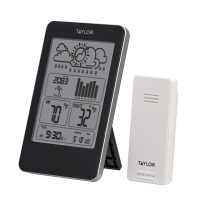
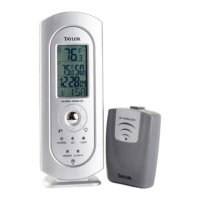
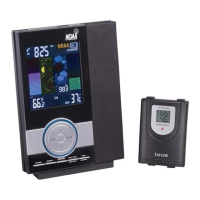
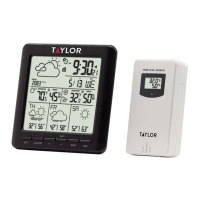
The Taylor 1743 Digital WiFi Forecaster is a comprehensive weather station designed to provide real-time weather information and forecasts, both indoors and outdoors, with the added convenience of WiFi connectivity and app integration. This device consists of a base station and a wireless outdoor sensor, working together to deliver a wide range of environmental data directly to the user.
The primary function of the Taylor 1743 is to act as a digital weather forecaster, offering current and future weather conditions. The base station displays essential information such as time, calendar, indoor temperature and humidity, outdoor temperature and humidity, barometric pressure, and a weather forecast for today and the next three days. It also provides minimum and maximum temperature forecasts for the next three days. The wireless outdoor sensor is responsible for collecting outdoor temperature and humidity data, which it then transmits to the base station.
A key feature of this device is its WiFi capability. Once connected to a WiFi network, the base station automatically updates weather information hourly from the network, including real-time air pressure, current weather forecasts, and high and low temperature forecasts for the upcoming days. It also uploads indoor and outdoor temperature and humidity data to a server, allowing the WeatherSense app to download and display this information.
The device includes an alarm function, which can be set for daily use with customizable snooze times. It also tracks maximum and minimum temperature and humidity values, providing a historical record of environmental conditions. A low battery indicator is present for both the base station and the wireless outdoor sensor, ensuring timely battery replacement.
Setting up the Taylor 1743 involves installing batteries in both the wireless outdoor sensor and the base station. The outdoor sensor requires two AA batteries, and a channel selector switch allows users to choose a specific channel for transmission. The base station can be powered by four AA batteries or via a USB cable connected to a wall adapter or computer.
Initial setup includes pairing the base station with the WeatherSense app. This process requires the user's phone to be connected to a 2.4GHz Wi-Fi network with Bluetooth enabled. After logging into the app, the user powers up the base station, which will enter AP mode, indicated by "WI-FI AP" blinking on the display. The app then guides the user to select the device, enter the WiFi network SSID and password, and confirm the current city location. Once successfully connected, the base station will automatically connect to the home's WiFi network, and all weather data will be displayed.
The base station can connect to up to three channel wireless sensors, allowing for monitoring of multiple outdoor locations. Users can switch between channel displays for outdoor temperature and humidity using the "+" button. If the base station fails to receive signals from the outdoor sensor, the "+" button can be pressed and held to manually initiate transmission reception.
Manual time setting is available, allowing users to configure temperature units (°F or °C), barometric pressure units (hPa/mb, inHg, or mmHg), 12/24 hour mode, time zone, hour, minute, month/date display format, year, month, and date. The language for weekday displays can also be selected from eight options: English, German, Italian, French, Spanish, Dutch, Danish, and Russian.
The daily alarm function is easily accessible. Users can activate or deactivate the alarm, set the alarm hour and minute, and configure the snooze time. The alarm sounds for two minutes with a rising volume and can be silenced by pressing any button except "SNZ" or by holding "SNZ" for three seconds. The snooze function, activated by pressing "SNZ" once, will cause the alarm to sound again after the set snooze time.
To view maximum and minimum temperature and humidity values, the "MEM" button is used. Pressing it once shows maximum values, twice shows minimum values, and three times returns to current levels. Holding "MEM" for two seconds resets these recorded values.
The WeatherSense app enhances the user experience by providing a detailed interface for viewing weather data and managing device settings. The app displays temperature and humidity data, current weather, "Feels Like" temperature, current barometric pressure, wind speed and direction, sunrise and sunset times, and a four-day weather forecast. It also shows battery levels for wireless outdoor sensors and allows users to set temperature and humidity alerts for both the main equipment and individual wireless sensors. The app includes data charts (daily, weekly, monthly) for temperature, humidity, and air pressure, offering a historical overview of environmental conditions.
The Taylor 1743 is designed for indoor use only, and proper placement is crucial to prevent damage from moisture or extreme weather conditions. Users are advised not to immerse the units in water and to dry them immediately with a soft, lint-free cloth if liquid spills occur. Cleaning should be done without abrasive or corrosive materials to avoid scratching plastic parts or corroding electronic circuits.
To ensure optimal performance and longevity, the device should not be subjected to excessive force, shock, dust, temperature, or humidity. Tampering with internal components is discouraged as it invalidates the warranty and may cause damage. The units do not contain user-serviceable parts.
Battery management is an important aspect of maintenance. Users should avoid mixing old and new batteries, or different types of batteries (alkaline, carbon-zinc, rechargeable). Batteries should not be disposed of in fire, as they may explode or leak. If the device will not be used for an extended period, batteries should be removed to prevent leakage and damage. The low battery indicators on the base station and app serve as reminders for timely battery replacement.
The device is specifically for measuring weather temperatures and should not be placed in ovens, grills, freezers, or microwave ovens. Always refer to the instruction manual for safe operation.
 General
| Model | 1743 |
|---|---|
| Category | Weather Station |
| Brand | Taylor |
| Type | Digital Weather Station |
| Display | LCD |
| Indoor Temperature Range | 32°F to 122°F (0°C to 50°C) |
| Power Source | Battery |
| Features | Indoor/Outdoor Temperature, Humidity, Clock |
| Humidity Range | 20% to 95% |
| Power (Remote Sensor) | 2 x AAA batteries (not included) |

 To Next Page