LMP1218-PWM Master Power Unit User Manual
IDM Technologie
5. OPERATION
5.1 Configuration on LMP1218-PWM
You could set the battery type, VCR and Mode through LMP1218-PWM master power unit.
5.1.1 Dip switch setting
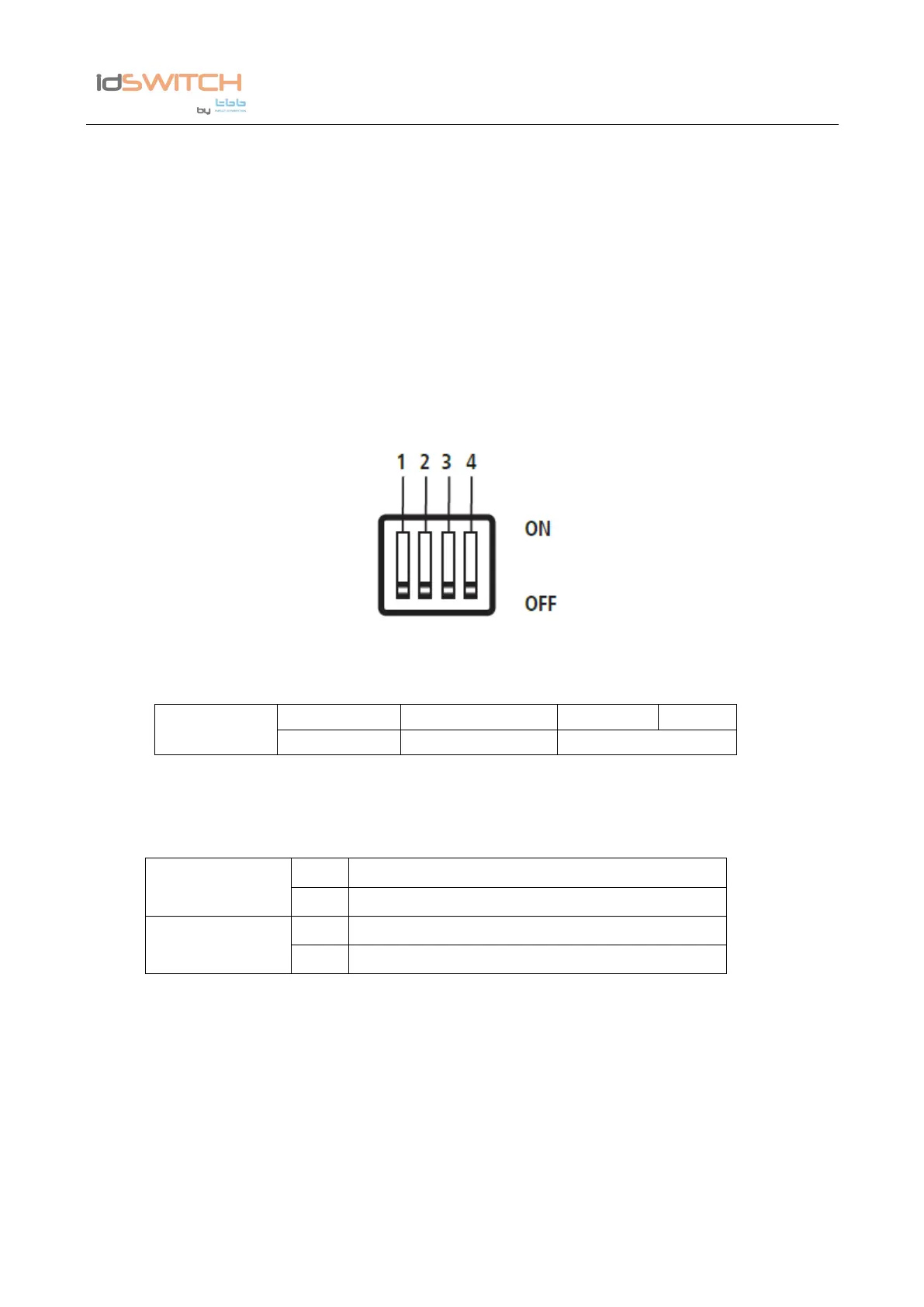
There are dip switches for you to set VCR mode, Working mode and Battery type.
Figure 6 Dip switch
Ta ble 5 Dip switch definition
5.1.1.1 Dip switch for VCR mode and Working mode
Ta ble 6 Dip switch for VCR mode and Working mode selection
a) VCR mode
There are two VCR modes for optional:
- Integrated VCR: when this mode is selected, the integrated VCR is activated, i.e. 18A
- Ex-DC / DC: When this mode is selected, the integrated VCR is deactivated; and an IDM NEMO
type external DC-DC booster can be connected to replace this integrated VCR
Caution If Booster set the VCR to ON and only for LEP lithium batteries
b) Working mode
There are two working modes for optional:
Built-in VCR (Default setting)
Charger (Default setting)


 To Next Page
 Loading...