TBS Installation Manual – 2D IRON & 3D AIR
TBS 2D IRON 3D AIR Mounting and Installation Guideline • TBS-056-057 • Rev 09-2023 page 6 of 21
4 Mounting and Installation
4.1 Recommended Configuration
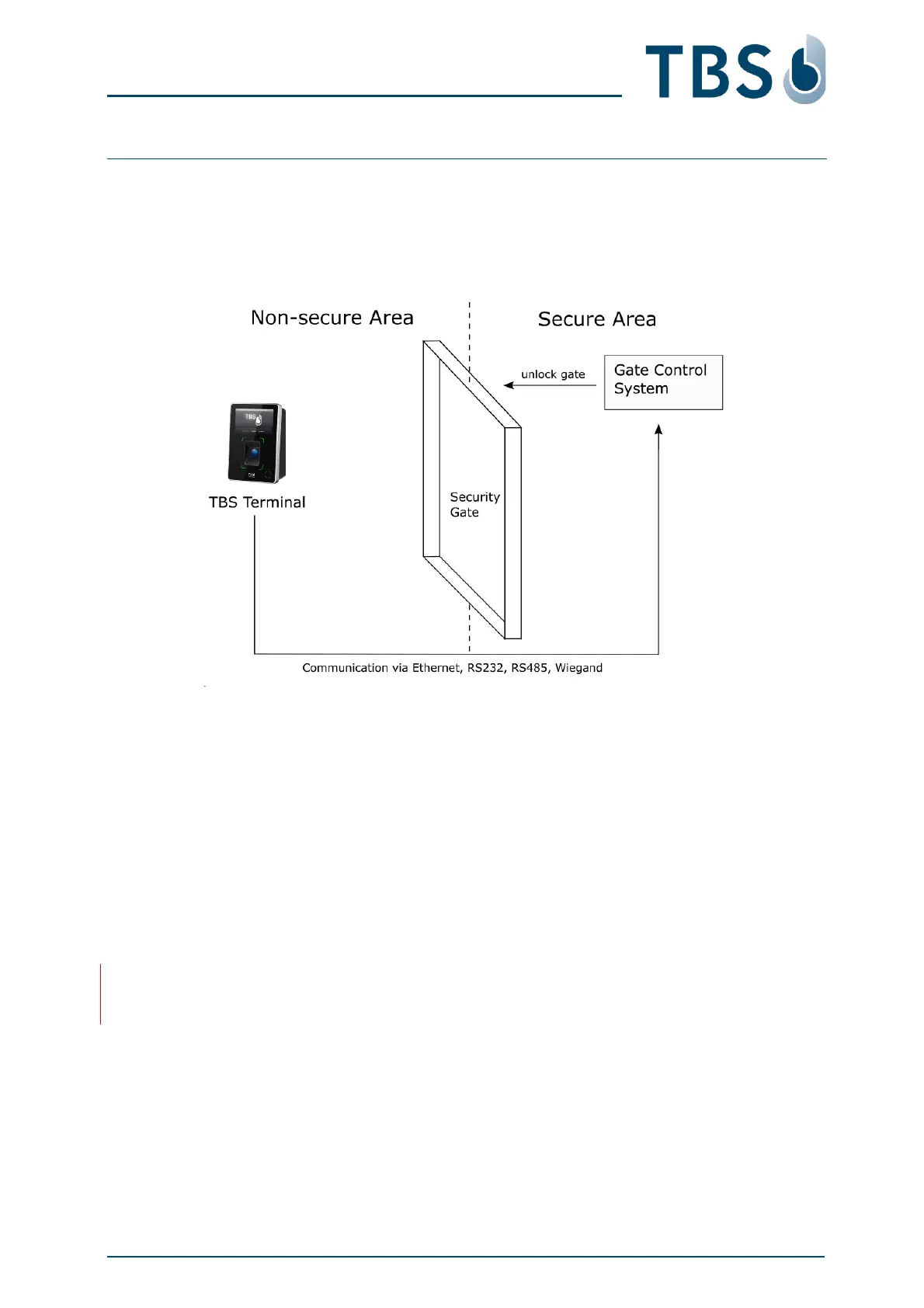
The recommended configuration for installation is to connect the TBS terminal, mounted in the non-
secure area, via Ethernet, RS232, RS485 or Wiegand interfaces to the gate control system, located in
the secure area.
▪ The standard installation environment must meet these requirements:
□ Operating temperature -20 to +60 °C
□ Relative humidity 10 to 90%
□ Outdoor device use is not compliant with UL294
▪ In the case of 3D AIR, strong ambient light and / or direct light into the sensor of the terminal should
be avoided. Sunlight, halogen lamps or other strong illumination may reduce the performance of
the terminal and may result in failed authentication events.
▪ Terminals with standard PVC wall mount box are designed for indoor use only. This box is not
weatherproof and must not be exposed to water, ice, extreme temperature, or other adverse
weather conditions.
NOTE:
Installation in extreme environments without proper protection may cause permanent device damage
and voids warranty.



 To Next Page