TBS Installation Manual – 2D IRON & 3D AIR
TBS 2D IRON 3D AIR Mounting and Installation Guideline • TBS-056-057 • Rev 09-2023 page 8 of 21
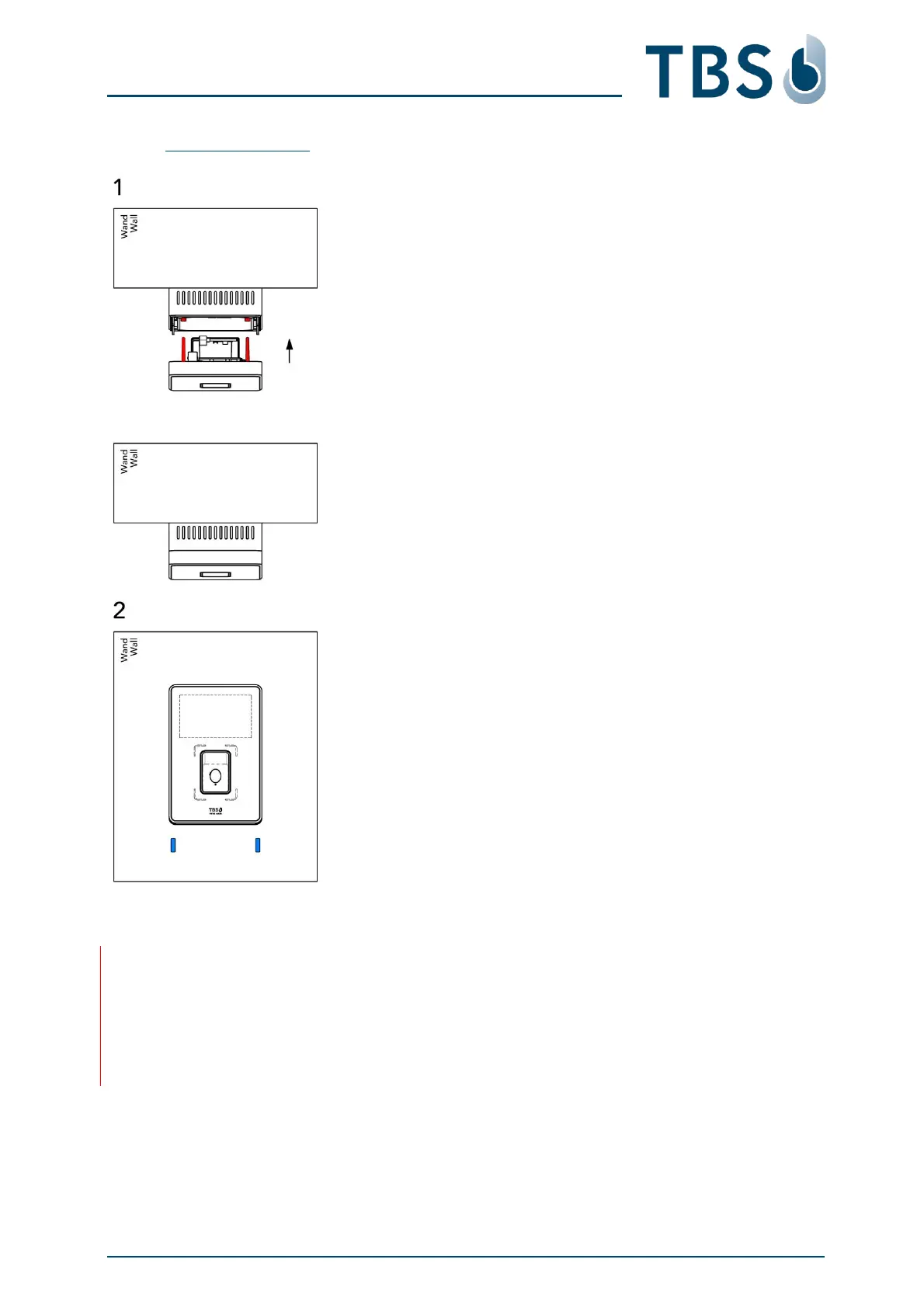
4.2.2 Closing the Device
Plug In (1)
Plug in the 2 bolts on front part into corresponding holes on
back cover.
Push front part towards back cover until it snaps in (you hear a
click)
Lock (2)
Fix 2 screws with Allen wrench (size 3) to lock front part to back
cover. Screw in fully and turn back half a turn.
IMPORTANT:
To avoid destruction and electrical shorts please ensure no cable or metal parts press against the
electronic boards inside the device!
Ensure to close the fixation screws almost fully. Only then the device front is pulled back to the
backbox, making sure the rubber sealing and the contacts to the connector board are in proper
position. Otherwise, there could be side effects like dust intrusion on HD versions or network not
working.



 To Next Page