TBS Installation Manual – 2D IRON & 3D AIR
TBS 2D IRON 3D AIR Mounting and Installation Guideline • TBS-056-057 • Rev 09-2023 page 7 of 21
4.2 Accessing The Device
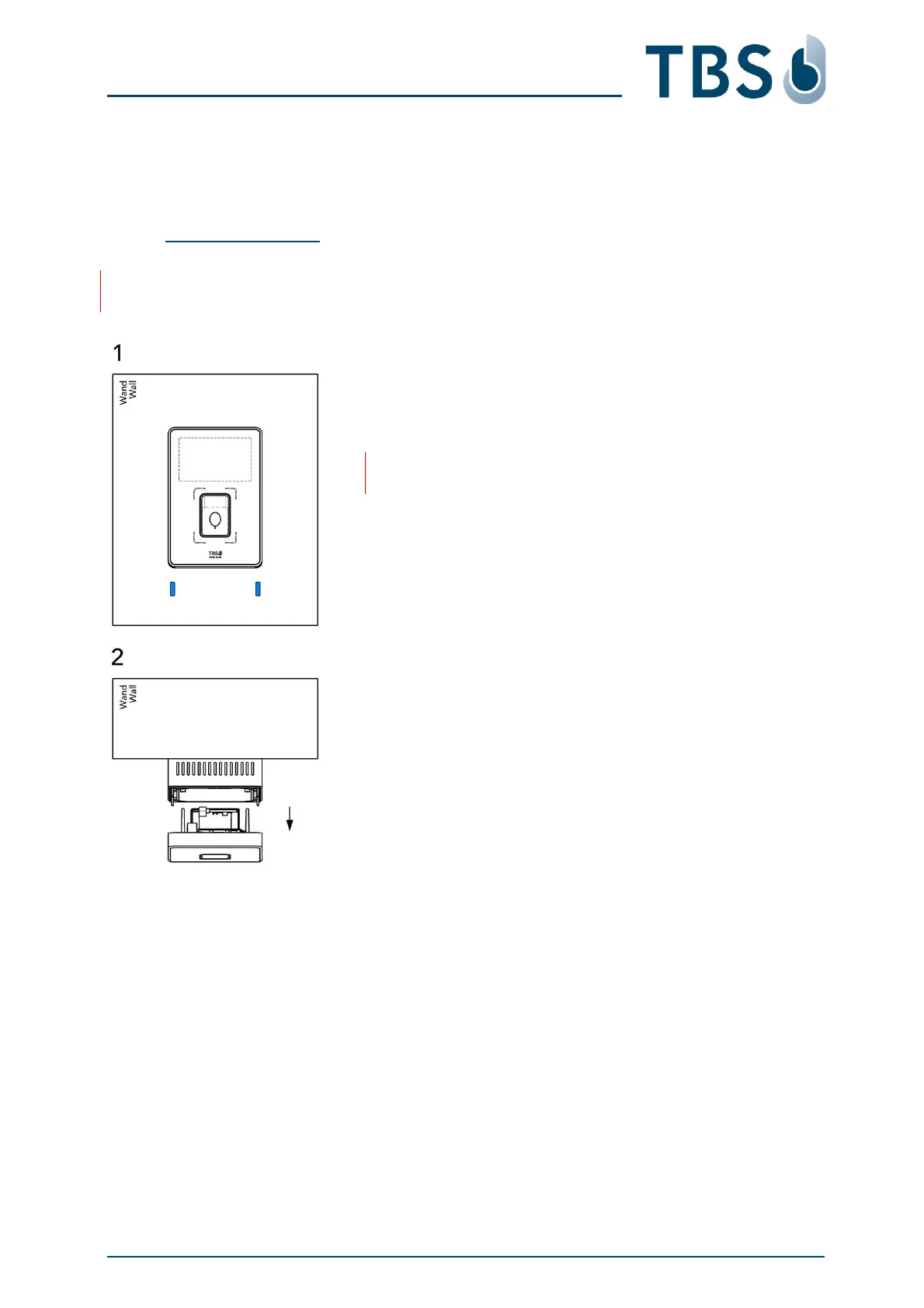
The terminals can be accessed by opening two screws on the bottom and removing the front panel.
The process is the same for all three mounting variants (wall mount, heavy duty wall mount, flush mount)
4.2.1 Opening the Device
IMPORTANT:
Always disconnect power supply before opening terminals.
Unlock (1)
Use Allen wrench (size 3) to loosen 2 screws at bottom side of
front plate
NOTE:
Just loosen the screws, do not remove them.
Pull out (2)
Pull the front part out of the back cover.
It will unlink TCON connector board (which remains in back
cover) from processing electronics situated in device front.



 To Next Page