18 19Quick Start Guide2290 P DYNAMIC DIGITAL DELAY
Getting Started
The Pedal
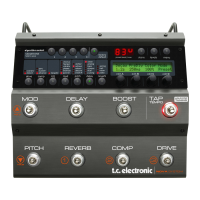
The 2290 P is an advanced Dynamic Digital Delay with comprehensive controls and parameters, that allow you to create
spectacular sounds. Take your time with the vast stereo panning and modulation features of this reborn classic, and you
will be rewarded with dreamy delays for days.
Presets
The 2290 P comes loaded with a bunch of great presets. 20 of these presets are imported from the original 2290 rack unit
from 1985, and the rest are meticulously crafted and ne-tuned especially for the 2290 P.
With 2 presets (A and B) available on each of the 64 boards of the 2290 P, you have 128 presets to build and customize to
your liking. Simply start with a preset you like, modify it, store it, and ultimately ll the pedal with sounds that you nd
inspiring and suitable for your musical style.
The 2290 P Software Application
If you want to re-organize the presets on your pedal, you can do so with the free 2290 P app. Please visit our website:
https://www.tcelectronic.com and download the latest version. In the app, you will nd all the original 2290 P presets,
and be able to recongure settings for MIDI clock, tap tempo modes, and modiers for the external expression pedal. A
convenient list of all the MIDI CC functions are also found inside the app.
2290 P Controls
(1)(5) (4) (3) (2)(10) (9)
(8)
(6)
(7)
(13) (16)(15) (17)(12) (18)(14)
(11)




 To Next Page