12 BH800/BH550 Quick Start Guide 13
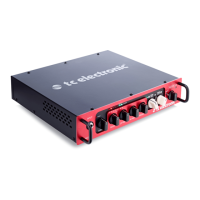
BH800/BH550 Controls
(EN)
Step 1: Controls
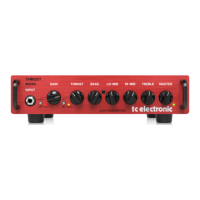
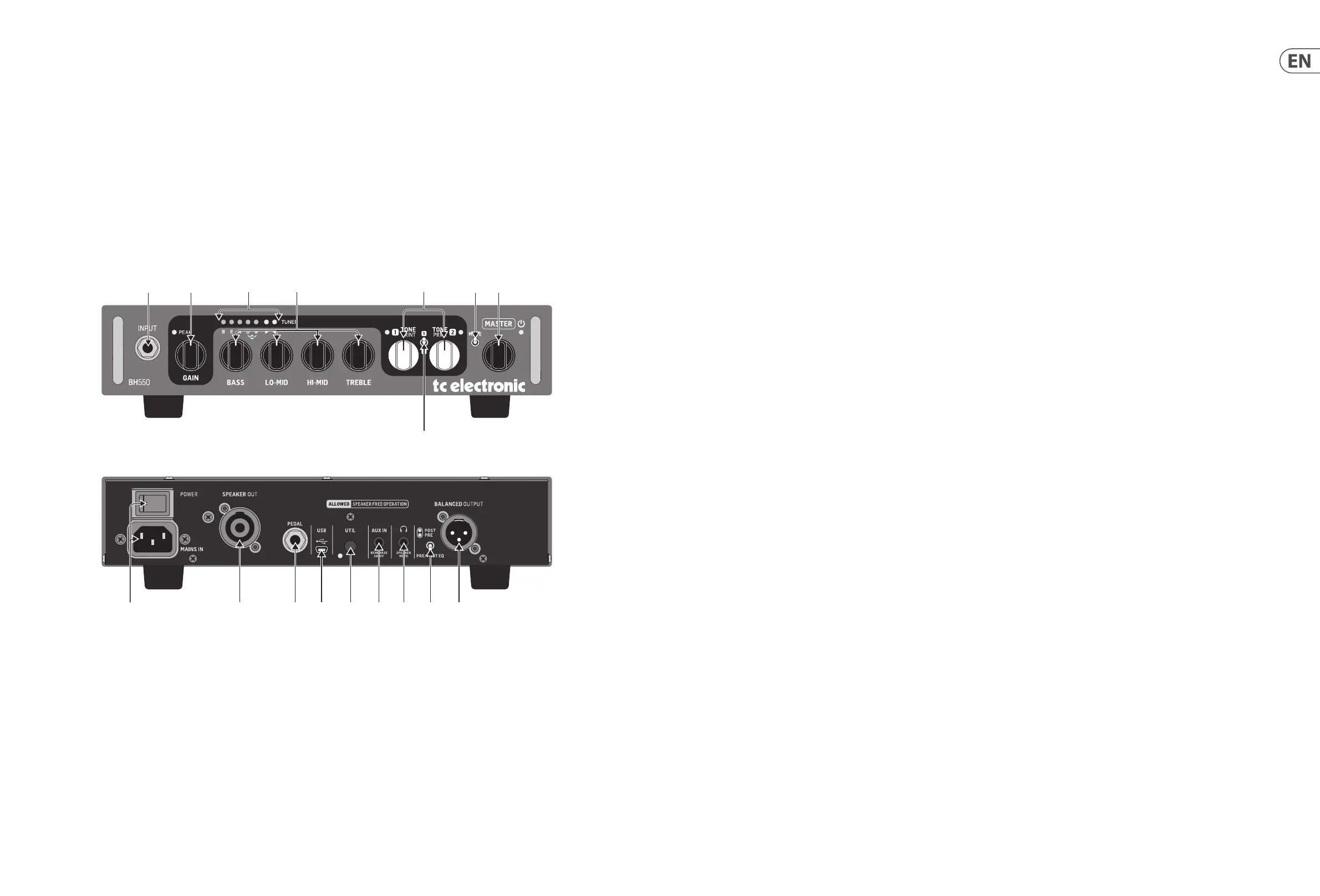
(1) INPUT jack You can connect an active or
passive bass to this ¼" input jack. The input
stage of your bass amp is designed to adapt to
any type of pickup.
(2) GAIN knob and PEAK LED The input gain
should be set to the highest possible level
without overloading the input stage.
To nd the correct setting, plug in your bass
and play, turn up the GAIN knob until the PEAK
LED occasionally lights up, then reduce the
gain slightly.
When set, simply turn up the MASTER volume
knob to start playing.
(3) TUNER Your bass amp’s integrated
tuner allows you to easily tune a 4, 5 or
6-string bass.
The B, E, A, D and G LEDs indicate which
strings you are currently tuning. When the D
and G LEDs are lit, you are tuning the C string.
The string is in perfect tune when both green
LEDs to the right of the string LEDs are lit.
The tuner is always active.
(4) Intelligent EQ section The Intelligent
EQ section of this TC bass amp is not your
standard bass amp EQ!
Ordinary bass, middle and treble controls
boost or cut the same frequency area
when you turn the controls clockwise or
counterclockwise. The tone controls of this
amp intelligently address several dierent
frequencies when you turn them, integrating
not only tone control, but also contouring
your sound.
By adapting one or more target frequencies
and bandwidths at the turn of a single knob,
the Intelligent EQ section combines excellent
tone shaping abilities with ease of use.
(5) TONEPRINT knobs 1 and 2 If you are not
familiar with the TonePrint concept, please
read “TonePrint” on page 12 rst. You can also
nd additional information and videos about
TonePrint technology for bass players on
TC Electronic’s website.
Your bass amp can store two independent
TonePrints. By default, TonePrint slot 1
contains the TubeDrive TonePrint, and
slot 2 contains the famous TC Classic
Chorus TonePrint.
(6) TonePrint slot switch To select a TonePrint
slot (1 or 2), set the 3-way TonePrint slot
switch up or down to the respective slot
(middle position=o). The LED of the
currently selected TonePrint slot will light up.
You will hear the TonePrint eect currently
stored in this slot, and if you transfer a new
TonePrint to your TC bass amp, it will be stored
in this slot.
Use the TonePrint knob for the currently
selected TonePrint slot to control the
TonePrint in this slot as follows:
• For most modulation eects (Chorus,
Flanger, Vibrato and Octaver), the TonePrint
knob work as a dry/wet mix control, but for
some TonePrints, it could also be the speed
of the Vibrato or the depth of the Chorus.
• For Compression and Drive TonePrints,
the TonePrint knob usually acts as amount
(intensity) control.
Featured TonePrint artists may have assigned
the TonePrint knob to other parameters.
Finally, there are some TonePrints that
encompass two eects. In this case, the
TonePrint knob will control one or multiple
parameters of one eect, while the
parameters of the other eect are static.
Please note that while your TC bass amp
can store two separate TonePrints, only one
TonePrint can be active at any time.
Deactivating TonePrint
To switch o TonePrint, either…
• set the three-way toggle switch to the
middle position
• turn the knob of the currently active
TonePrint slot fully counterclockwise or
• use a footswitch connected to the
PEDAL jack.
(7) MUTE switch To tune you instrument silently,
set the MUTE switch to the upper position.
This will mute all signal paths:
• the SPEAKER OUT jack
• the PHONES jack and
• the BALANCED OUTPUT jack.
When you have connected a Switch-3 to the
PEDAL jack, you can use it to mute or unmute
the amp – see “PEDAL input jack” below.
Switch-3 overrides the MUTE switch on the
bass amp.
(8) MASTER level knob Use the MASTER knob
to set the overall output level of the amp.
The master level also controls the level of the
PHONES output on the rear panel of the amp.
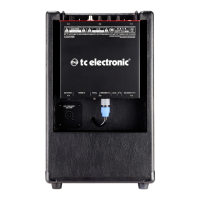
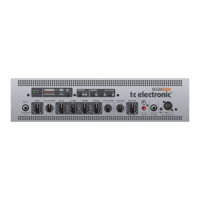
(9) MAINS IN – Power switch & Power input
The switched-mode power supply of this
device accepts voltages from 100 V to 240 V.
The ground pin of the power supply unit must
always be connected in order to avoid voltage
dierences between e.g. the PA and your
bass amp.
(10) SPEAKER OUT jack Use the SPEAKER OUT
connector for connecting your amp to
speaker cabinets.
Please note that this is a speakON connector,
and you must use speaker cables for
connecting the amp to your cabinets.
Do not use instrument cables!
Use a cabinet conguration with your BH550/
BH800 with a minimum load of 4 Ohms.
(1) (2) (3) (4) (5) (7) (8)
(6)
(10) (11) (12) (13) (14) (15) (16) (17)(9)


 To Next Page
 Loading...