EasyManua.ls Logo

TC-Helicon GoXLR MINI - User Manual

TC-Helicon GoXLR MINI
32 pages
Print Icon
To Next Page IconTo Next Page
Loading...
Quick Start Guide
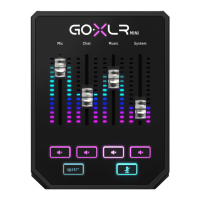
GoXLR MINI
Online Broadcast Mixer with
USB/Audio Interface and Midas Preamp
V 0.0

Questions and Answers

  • K
    Kim SchultzJul 28, 2025
    How to fix excessive hum and noise in TC-Helicon GoXLR MINI?
    • S
      Shannon PriceJul 28, 2025
      To address excessive hum and noise with your TC-Helicon Music Equipment, ensure all outlets are properly grounded. Keep audio cables away from power adapters and supplies. If the issue persists, consider using a 'Ground Loop Isolator' for analog audio connections to other powered devices.
  • R
    Ralph SilvaAug 13, 2025
    What to do if I can't hear my mic on TC-Helicon GoXLR MINI Music Equipment?
    • E
      Eric LivingstonAug 13, 2025
      If you can't hear your mic on your TC-Helicon Music Equipment, first, ensure you've completed the Mic Setup, selecting 'Condenser (24 V)' if your mic needs phantom power. Check that your mic mute isn't on. Also, use either an XLR or a 3.5 mm mic, as the XLR jack disables when a 3.5 mm mic is connected.

Summary

Important Safety Instructions

Electrical Shock Hazard Warning

Warning about electric shock risk and not opening the device.

Limited Product Warranty

Information about the product's limited warranty terms and conditions.

GoXLR App and Support

About This Document and Overview

Describes the document and provides general welcome information.

Minimum Hardware and OS Requirements

Specifies PC hardware and operating system needs for the GoXLR App.

Product Registration and Support Resources

Guides for registering the product and accessing support channels.

Setup Steps

Software Installation and Hardware Connection

Guide to download, install software, and connect the GoXLR MINI.

Windows Sound Settings Configuration

Steps to set up Windows audio output and input for the GoXLR MINI.

Broadcast Software Configuration

Setting up OBS, Streamlabs, XSplit for audio routing.

Connection Diagram

Microphone Connection Options

Shows how to connect different microphone types to the GoXLR MINI.

Computer and Console Setup

Diagrams for connecting to gaming PCs and consoles.

Regulatory Compliance

FCC Compliance Details

Explains compliance with FCC rules and conditions for operation.

CE Marking and EU Representation

States compliance with EU directives and lists EU representative details.

Responsible Party Contact

Information about the responsible party and contact email for compliance.

TC-Helicon GoXLR MINI Specifications

General IconGeneral
Audio Interface TypeUSB
Channels4
Sample Rate24-bit / 48 kHz
A/D Resolution24-bit
USBUSB 2.0
Phantom PowerYes
SoftwareGoXLR App
OS Requirements - MacmacOS 10.13 or later
PowerUSB bus powered
Weight1.5 lbs
TypeAudio Interface
Inputs1 x XLR
OS Requirements - PCWindows 10
Outputs1 headphone out, 1 line out

Related product manuals