21 22
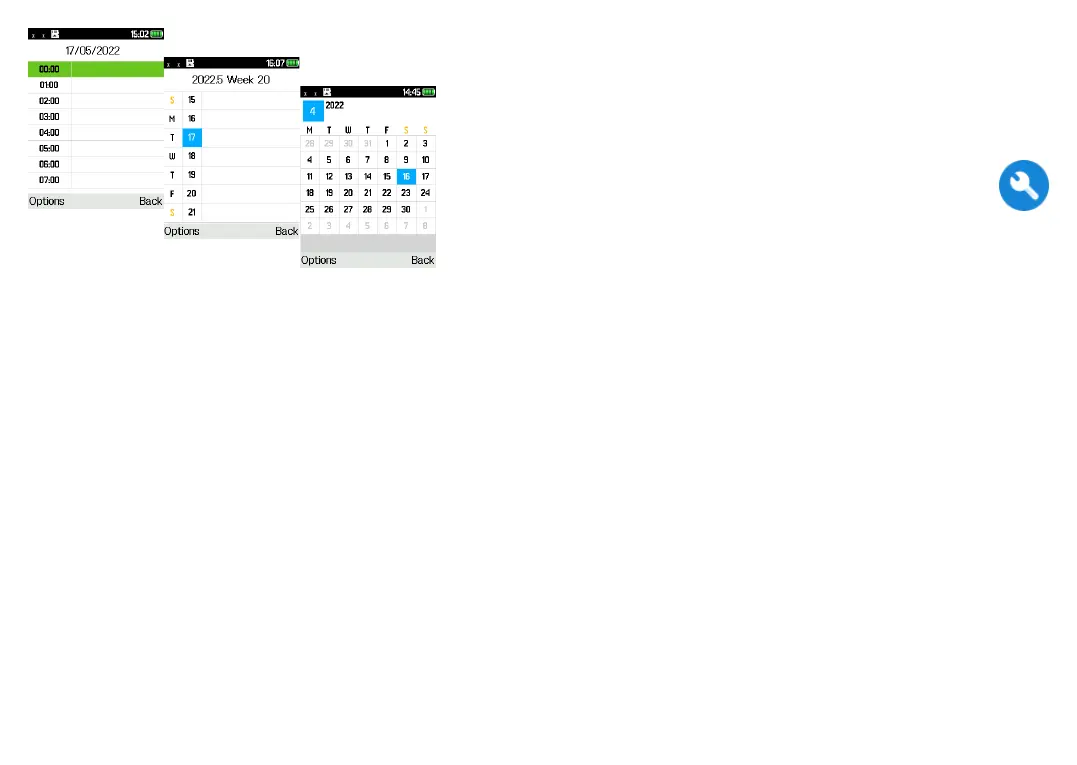
Day view
Week view
Month view
4.2 Add a new event
Press the Left soft key to add a new event from any
Calendar view.
• Fill in all the required information for this new event.
If it is a whole-day event, you can select All-day
event.
• When finished, press the Left soft key to save.
More important options are available by pressing the
Left soft key from the Calendar main screen:
• Go to date
To go to whatever date you want.
• View events
Press the OK key to view the events you've added
to the Calendar.
4.3 Event reminder
If a reminder is set for an event, the upcoming event
will appear on the screen when the reminder time
arrives.
5
Tools .............................
5.1 Alarm
Your phone has a built-in alarm clock with snooze
feature. You can set up to five alarms with different
wake-up times.
5.2 Calculator
Press the up, down, left, right and OK key to select
"+, -, ×, ÷" and "=" respectively.
5.3 Bluetooth
You can exchange data, such as video, images, and
audio, with other Bluetooth supported devices within a
limited range after pairing.
5.4 Converter
Convert supports weight conversion and length
conversion.


 To Next Page