29 30
• WAP Push messages
Mark / unmark the checkbox to accept / reject WAP
Push messages.
• Service loading operation
You can set Service loading operation as Always,
Alert or Never.
7
Multimedia ....................
7.1 Image
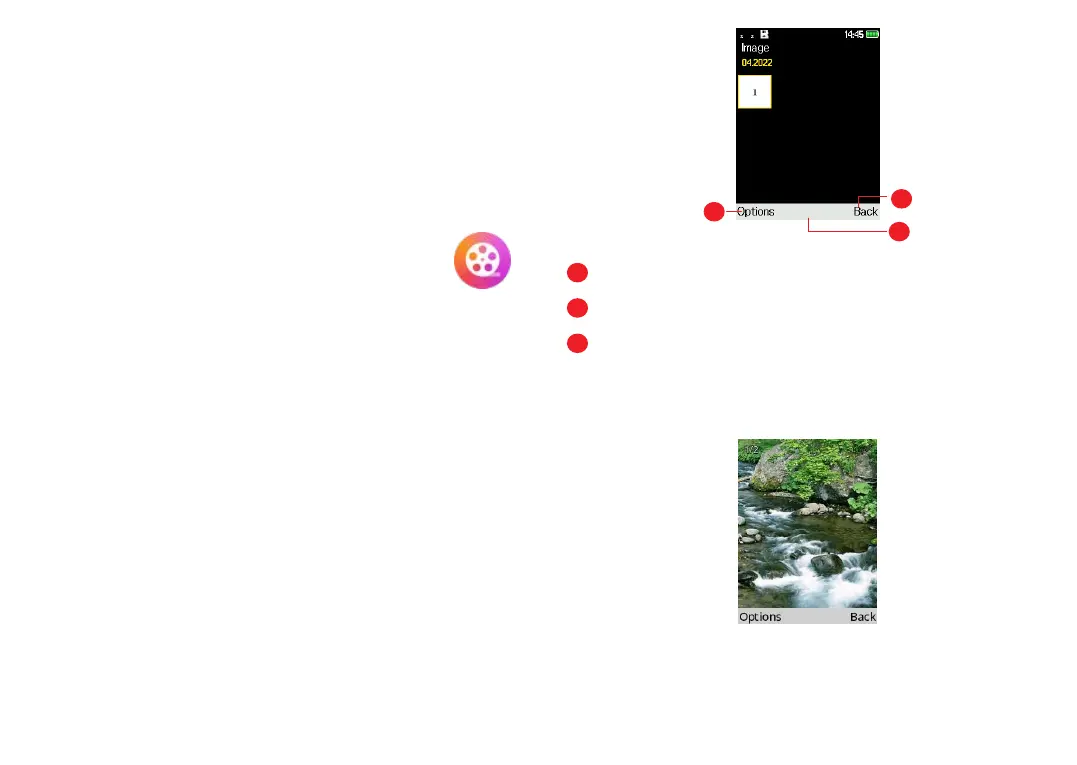
Image acts as a media player for you to view photos.
In addition, a set of further picture operations are
available for you to choose from.
To access this function, press the OK key from the
Home screen and select Multimedia > Image.
You can select Camera to take a photo or select a
picture from Photos.
2
3
1
1
Press the Left soft key to access more options.
2
Press the OK key to view the selected picture.
3
Press the Right soft key to return to Multimedia.
Modifying your picture
More options are available by pressing the Left soft
key from the picture screen.


 To Next Page