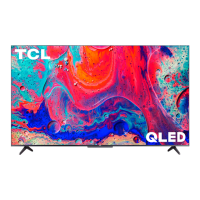
Having trouble completing the guided setup? Don’t worry, it’s usually an easy fix.
4K Picture Quality
4K picture quality is largely dependent on the source. Make sure your source content is 4K.
To stream 4K, we recommend a broadband speed of 25Mbps for optimum viewing.
For Cable, Satellite, Gaming Consoles, and Blu-Ray players, we recommend using “High-Speed HDMI cables.”
Cannot connect to wireless network (WIFI)
Select the correct wireless network name and verify the password entered (case sensitive).
Relocate the router from objects that interfere with performance (cordless phones, baby monitors, etc.).
Reboot the router by disconnecting the power for more than 2 minutes and reconnect.
My picture is too small (black bars on the side)
Play your movie/video and press the (*) asterisk button.
Select Picture Size, select the picture size of your preference.
How to install the Remote Control Mobile App
The free Roku app allows you to use your mobile device as a full functioning remote control with voice search &
keypad.
Download the Roku app to your phone or tablet through Google Play or iTunes.
Simply search for “Roku App” and choose the Roku app by Roku Inc.
Follow the onscreen prompts and you’re on your way!
Problems connecting my cable/satellite box or antenna through a coax cable
For best performance, use the HDMI connection. If not available, then:
Make sure the cable connections to the TV and your device are securely fastened.
Select cable/satellite box or antenna TV input.
Select “start finding channels” and follow the on-screen instructions to perform a full channel scan.
How do I turn the Text-to-Speech (TTS) audio guide on or off?
Press “*” key on the remote controller four times to
Or
1. Select “Settings” at home screen
2. Select “Accessibility”
3. Select “Audio Guide” and turn it on or off
* https://support.tcl.com/common-questions/01how-to-enable-and-disable-text-to-speech-onmy-tcl-roku-tv?
from_search=51298332
What is the remote code for programming my Universal or Cable/Satellite box remote control


 To Next Page
 Loading...