Need help?
Do you have a question about the TCL 98S550G and is the answer not in the manual?
This document describes the TCL 98S550G, a Google TV designed for home entertainment. It serves as a quick guide for setup, operation, and maintenance, emphasizing user-friendliness and comprehensive support.
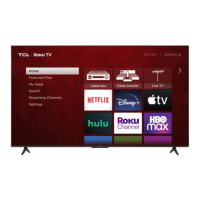
The TCL 98S550G is a smart television that integrates the Google TV platform, offering a wide range of streaming services, apps, and content. Its primary function is to provide high-quality visual and audio entertainment. The TV supports various input sources, including HDMI for modern devices like cable boxes, Blu-ray players, and gaming consoles, as well as an antenna/cable input for traditional broadcast television. An AV input adapter is also available for connecting older analog devices. For audio output, it features a headphone jack and an optical digital audio out for external sound systems. The TV is equipped with hands-free voice control capabilities, allowing users to interact with the Google Assistant using integrated microphones, in addition to a remote control with a built-in microphone for voice commands. It also includes a USB port for media playback from external storage devices and supports an optional TCL webcam for video calls. The Google TV interface allows for personalized home screens, app management, and content discovery, making it a central hub for digital entertainment.
Setting up the TCL 98S550G is designed to be straightforward. Users can quickly connect the TV to a wireless network and set it up using the Google Home app on an Android or iOS phone by scanning a QR code, or by following on-screen instructions with the remote. The TV requires a Google Account, a TCL account, and a reliable broadband internet connection to access all smart features and services.
The remote control is intuitive, featuring dedicated buttons for power, input selection, Google Assistant activation, profile switching, and menu navigation. The circular D-pad allows for easy movement through on-screen menus, while the OK button confirms selections. Volume and channel controls are standard, and a mute button is included. Special features on the remote include a quick settings button, a live TV EPG (Electronic Program Guide) button, and a virtual keyboard button for text input. The remote control needs to be paired with the TV, especially when using the Google Assistant button for the first time, following on-screen prompts.
The TV offers both remote control voice commands and hands-free voice control. For hands-free operation, users must ensure the dedicated mic switch on the TV is turned on. Once enabled, saying "OK Google" or "Hey Google" activates the voice assistant, allowing users to ask questions or try suggestions without the remote. The "Screenless Service" feature allows hands-free voice control even when the TV is in standby mode.
For physical setup, the TV can be placed on a stand or mounted on a wall. When using the stand, it's recommended to have three people for safe installation due to the TV's size and weight. The stand offers two height positions, and specific M5x25mm screws are provided for secure attachment. If wall mounting, the stands should not be attached, and a VESA 500x600 wall mount with M8x16mm screws is required for the 98" model. Wall mounting should be performed by a professional installer, and the TV should never be mounted to the ceiling with the screen facing down.
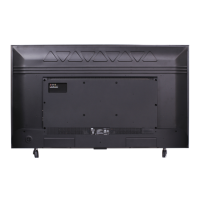
The TV's connectivity options include multiple HDMI ports, with varying support for refresh rates (up to 4K/144Hz on HDMI 1, 4K/120Hz on HDMI 2, and 4K/60Hz on HDMI 3 & 4). One HDMI port supports eARC/ARC for connecting audio return channel-capable devices. An Ethernet port provides a wired internet connection, which can be more stable for streaming.
The document provides important safety instructions that double as maintenance guidelines. Users are advised to read and keep all instructions, heed warnings, and follow all installation and operation procedures. The TV should not be used near water and should only be cleaned with a dry cloth. Proper ventilation is crucial; ventilation openings should not be blocked, and the TV should be kept at least 2 inches from walls and 1 inch from other surfaces, with 2 inches from the rear. It should not be exposed to heat sources, rain, moisture, or dripping/splashing liquids.
Regarding the power cord, it should be protected from being walked on or pinched, and any damage requires replacement with a manufacturer-specified cord. The main plug serves as the disconnect device and should remain readily operable. For lightning storms or long periods of disuse, the TV should be unplugged.
Battery maintenance for the remote control is also detailed: use alkaline-type batteries, do not mix old and new or different types of batteries, and replace depleted batteries with two new ones of the same brand and manufacturer. Batteries should not be exposed to excessive heat, direct sunlight, open flame, or extreme low air pressure, as this can lead to explosion or leakage. Correct polarity must be observed during installation.
For troubleshooting, the guide offers solutions for common issues like connecting to a wireless network (checking network name, password, router relocation, and rebooting) and problems with cable/antenna connections (using HDMI for best performance, ensuring secure connections, and performing channel scans). Information on updating parental control passwords and turning Text-to-Speech (TTS) on or off is also provided.
The document emphasizes that service should be referred to qualified personnel if the apparatus is damaged in any way, such as a damaged power cord, spilled liquids, or if it doesn't operate normally. For warranty service, users are directed to visit the TCL support website for FAQs and troubleshooting before contacting customer support. Proof of purchase is required for warranty service, and pre-authorization is necessary before sending any product for repair or obtaining in-home services. The warranty covers defects in materials or workmanship for a specified period, with different terms for non-commercial and commercial use. It does not cover damage from misuse, abuse, neglect, improper installation, or acts of nature.
 General
| Screen Size | 98 inches |
|---|---|
| Resolution | 4K (3840 x 2160) |
| Display Technology | QLED |
| Refresh Rate | 120 Hz |
| Operating System | Google TV |
| Voice Assistant | Google Assistant |
| Bluetooth | Bluetooth 5.2 |
| HDMI Ports | 4 |
| USB Ports | 2 |
| HDR Support | HDR10, Dolby Vision |
| Wi-Fi | Wi-Fi 6 |
| Weight | 47.5 kg (without stand) |


 To Next Page