MS82MT-AP/LA Chassis Aliment procedure
PRELIMINARY INFORMATION ----- SUBJECT TO CHANGE
5
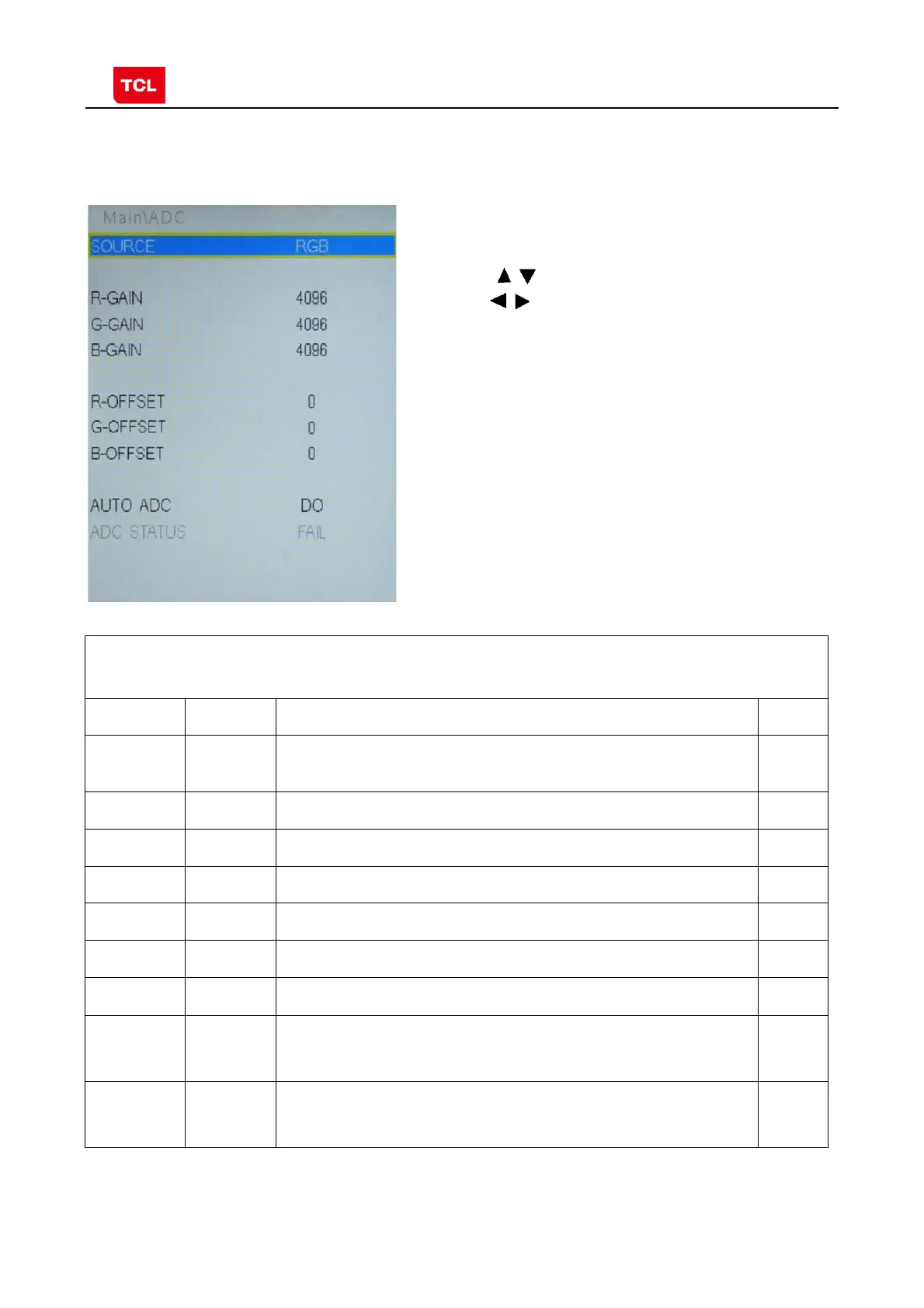
2.3 ADC calibration menu
ADC Menu
Press the button in remote control to select certain
item and
to change the value of ADC data or start
ADC calibration.
Notes:
1. Only YPBPR and RGB source should be calibrated.
ADC Calibration menu
Name Default Description Status
SOURCE Select the source you intend to ADC Calibrate.
Only YPBPR and RGB are available.
OK
R GAIN 4096 Gain of R channel ( cannot be changed after auto calibration) OK
G GAIN 4096 Gain of G channel ( cannot be changed after auto calibration) OK
B GAIN 4096 Gain of B channel ( cannot be changed after auto calibration) OK
R OFFSET 0 Offset of R channel ( cannot be changed after auto calibration) OK
B OFFSET 0 Offset of B channel ( cannot be changed after auto calibration) OK
G OFFSET 0 Offset of G channel ( cannot be changed after auto calibration) OK
AUTO ADC DO Select and execute the item, ADC Calibration starts. It indicates
a successful calibration if prompt “OK” is displayed.
Otherwise, It is a failing calibration (“FAIL” is displayed).
OK
ADC
STATUS
Show the ADC status of YPbPr/RGB Channel. SUCCESS will be
display if YPbPr/RGB Channel has been correctly calibrated.
Otherwise FAIL will be displayed
OK



 To Next Page