MS82MT-AP/LA Chassis Aliment procedure
PRELIMINARY INFORMATION ----- SUBJECT TO CHANGE
11
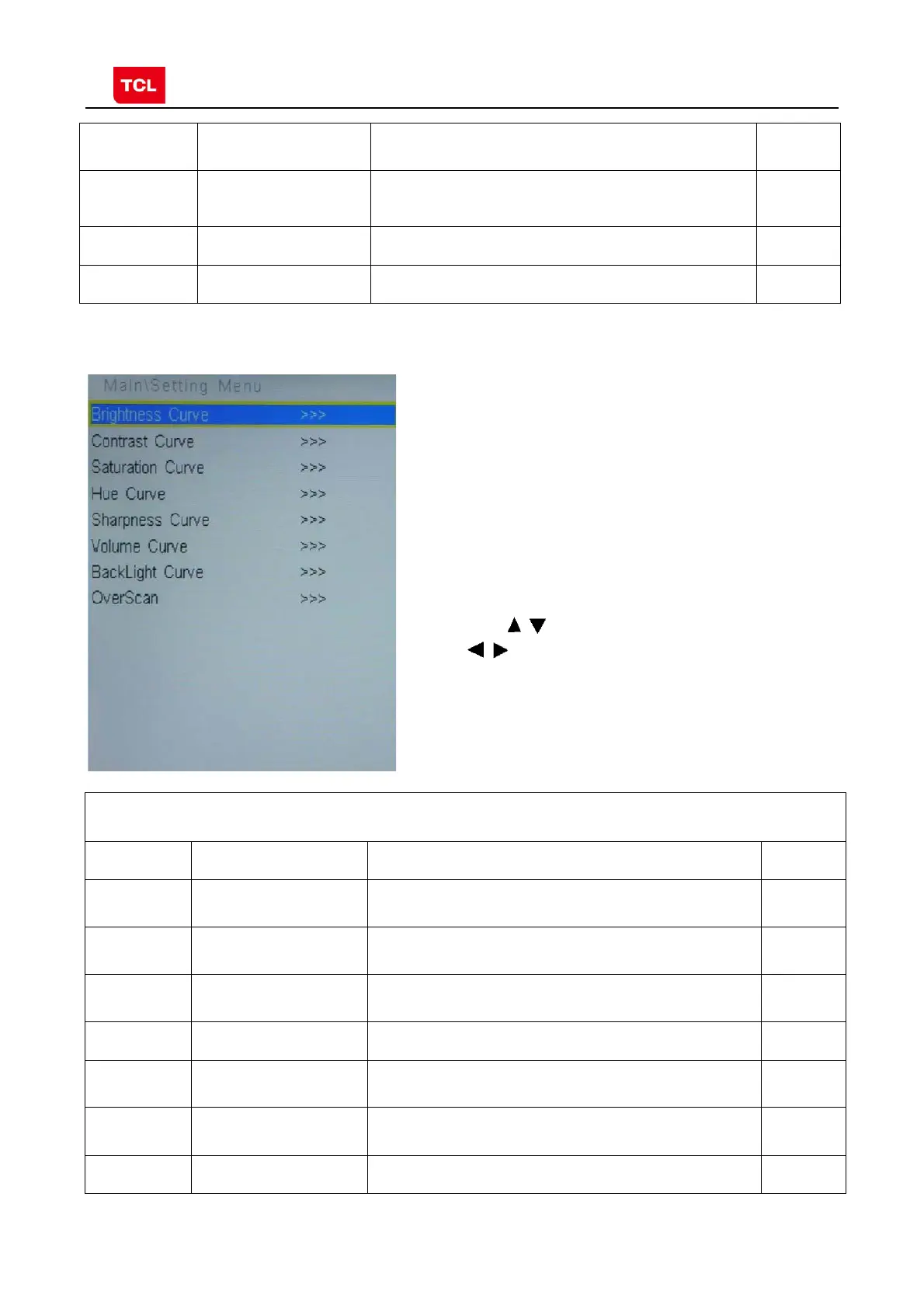
3.5 PARAM SETTING MENU
ERROR
CODE
NG
TCL_LOGO Display TCL Logo or not. On : display,
Off: not display
OK
LOGO_LIGHT OK
TCL_SHOW DEMO function ON/OFF OK
Press the
button in remote control to select certain item
and
to enter menu.
PARAM SETTING MENU (Setting menu)
Name Default Description Status
Brightness
Curve
>>> Brightness curve. Exclusively used by R&D. OK
Contrast
Curve
>>> Contrast curve. Exclusively used by R&D. OK
Saturation
Curve
>>> Saturation curves. Exclusively used by R&D. OK
Hue Curve >>> Hue Curve Exclusively used by R&D. OK
Volume
Curve
>>> Volume curve. Exclusively used by R&D. OK
Backlight
Curve
>>> Backlight curve. Exclusively used by R&D. OK
OverScan >>> Overscan adjustment. Exclusively used by R&D. OK



 To Next Page