MS82MT-AP/LA Chassis Aliment procedure
PRELIMINARY INFORMATION ----- SUBJECT TO CHANGE
15
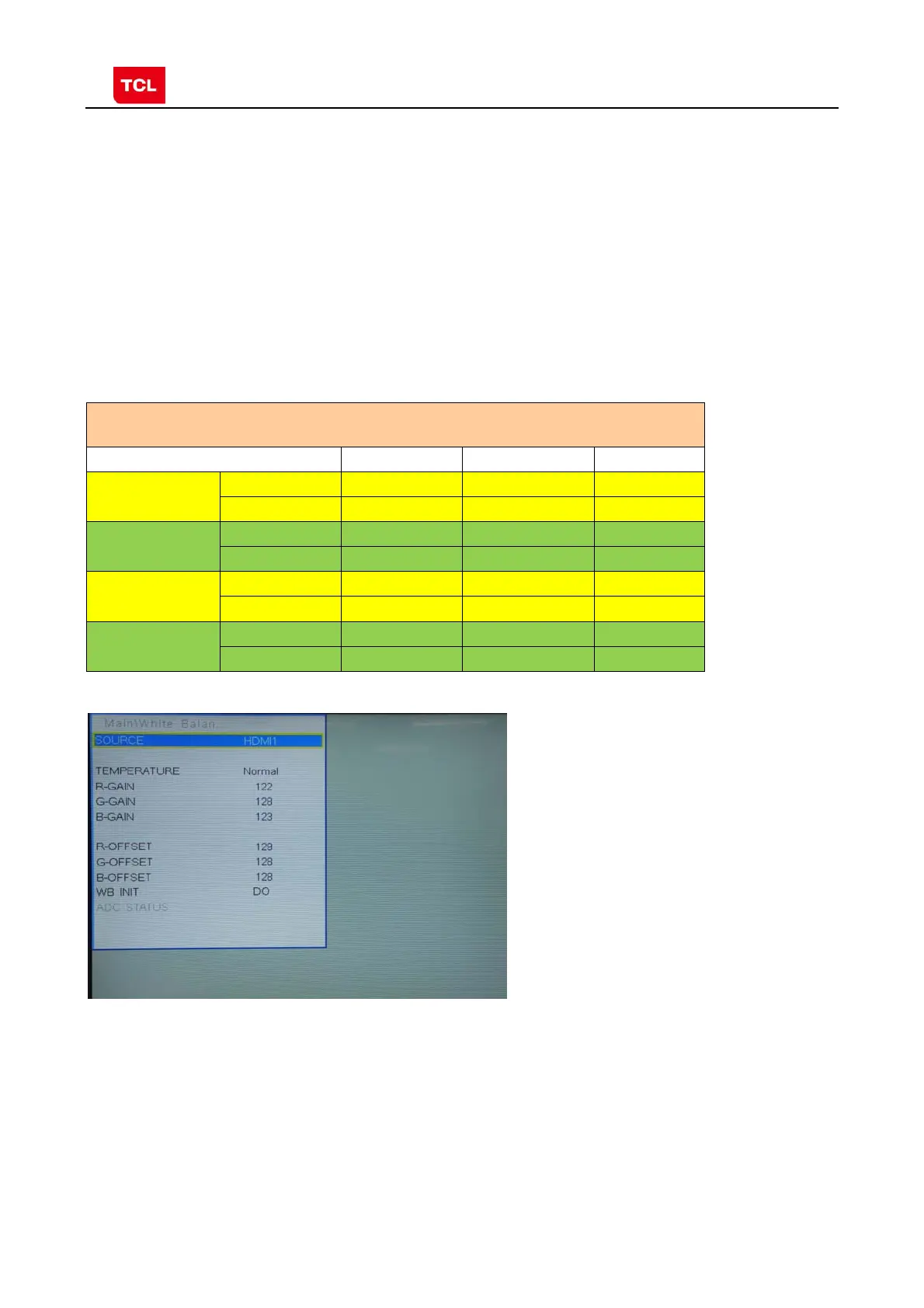
4) input white signal in 720p format
5) change R Gain and B Gain to make sure the value of color coordination equal to
(x, y).
6) repeat step 2~5 until both of the value of color coordination of white and grey
equal to (x, y).
In addition to select COLORTEMP COOL/WARM, the adjustment method of COOL
and WARM color temperature is same with that of NORMAL. The color coordination
we recommend is as follows:
Device:CA-210; Accuracy:±0.015
Model WARM NORMAL COOL
L28E3500
X 0.294 0.277 0.256
Y 0.305 0.293 0.268
L24E3500
X 0.280 0.265 0.250
Y 0.300 0.285 0.265
L24E3510F
X 0.290 0.270 0.248
Y 0.310 0.292 0.278
L28E4100
X 0.282 0.267 0.250
Y 0.291 0.280 0.257
HDMI White Balance adjustment



 To Next Page