CONNECTION OF THE RS422/485 SERIAL LINE 7.5
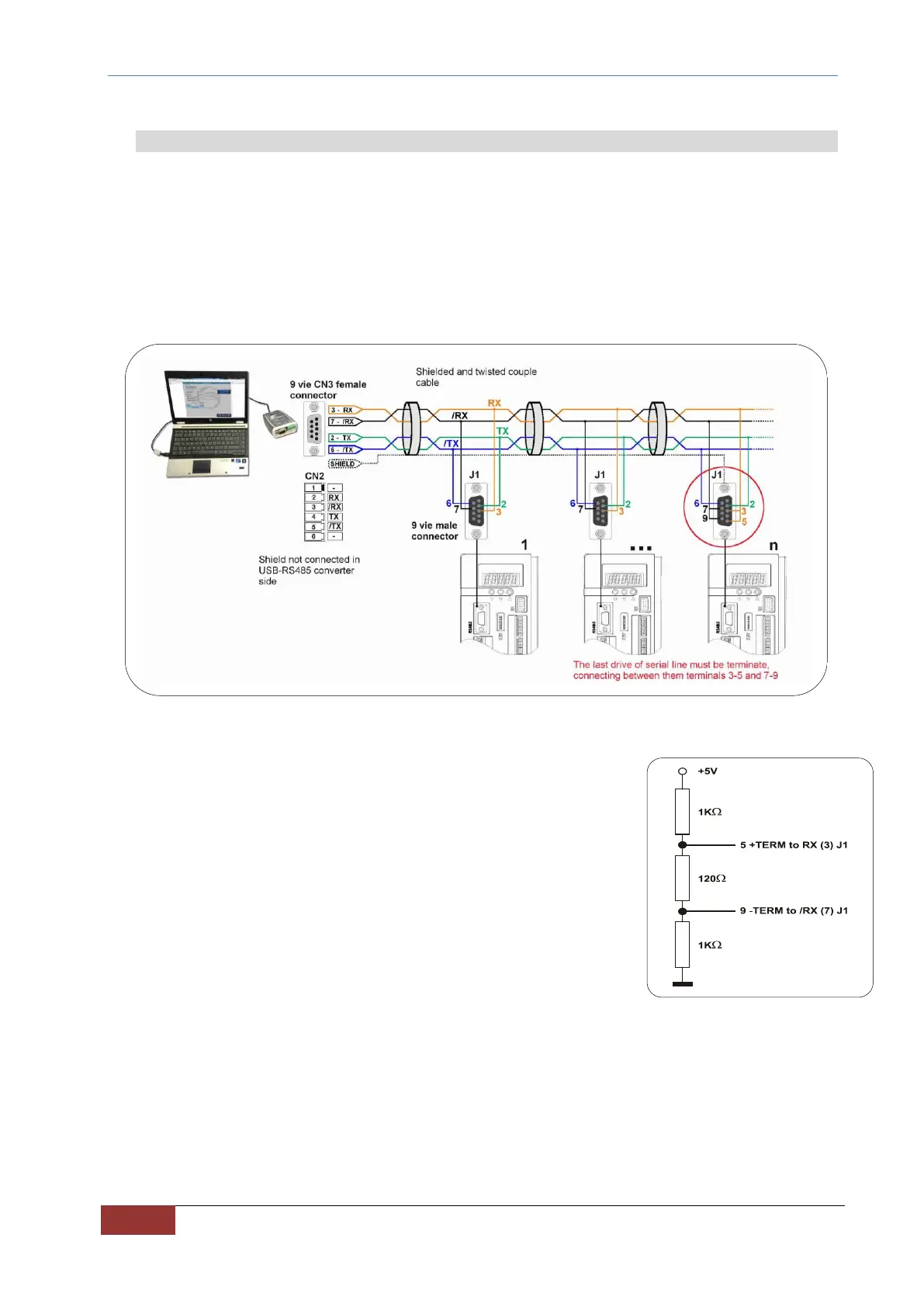
The serial line present on the OPDE DC-DC drives foresees the connection for the "4-wire" transmission of data and,
therefore, it has the ability to communicate in full-duplex mode. In fact, by virtue of the protocol used (MODBUS RTU)
it always communicates in "half-duplex" mode. Therefore, it is possible to perform the connection with only "two
wires" by connecting to one another RX with TX and /RX with /TX.
In the J1 connector, the RX and /RX signals are the signals received by the converter; while the TX and /TX signals
are transmitted signals.
Here below there is an example of connection with a USB port using a suitable USB-RS422/485 converter.
FIG. 28 - Example of connection with USB port
Inside the converter there are the impedances to "terminate” the connection
(120Ω) and polarize the line, as indicated in FIG. 29. To use such termination
connect the terminals 5-3 and 9-7 of connector J1 to one another (only for the last
converter of the line).
The communication wires must be twisted.
The screen must be connected to the DB9 metal cap, because through
the converter, the metallic cap is connected to ground.
Upon request, BDF Digital supplies a "serial package" consisting of the supervisor
software and a cable with RS232/RS485 adapter. For further information consult
the OPDE booklet of the MODBUS RTU serial protocol.
FIG. 29 – 120Ω Connections


 To Next Page