EasyManua.ls Logo

TDK LPCW-50 - User Manual

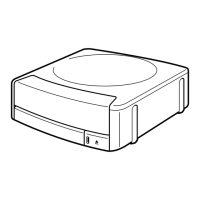
TDK LPCW-50
85 pages
Print Icon
To Next Page IconTo Next Page
Loading...
application version 1.0
For Windows
®
User’s Guide
We recommend that you use this product for printing on blank,
unrecorded CD-R discs and other media.
Printing on CD-R discs and other media that already has data
recorded on it may cause the data to become corrupted.
Note that TDK Recording Media Europe S.A. shall not be held
liable for any loss or corruption of data recorded on CD-R
discs and other media arising through the use of this product.
Be sure to read the Safety Precautions contained in this manual
before trying to use for the first time, and always keep this manual
on hand for future reference.
LPCW-50

Table of Contents

Question and Answer IconNeed help?

Do you have a question about the TDK LPCW-50 and is the answer not in the manual?

Summary

Safety Precautions

General Safety Warnings

Covers warnings, cautions, graphic markings, and specific hazard types like smoke, overheating, and cable safety.

Operating Precautions

LPCW-50 Printer Features

System Requirements

Software Installation and Management

Installing the CD;DVD Label Printer Application

Step-by-step guide for installing the label printing software.

Connecting and Disconnecting the Printer

Label Creation Process

Importing Data for Labels

Importing Text Data Sources

Importing CD-Text, Media Player, and Easy CD Creator data for labels.

Layout and Design Configuration

Image Handling in Labels

Inserting Images into Labels

Methods for adding images from files or screen captures.

Original Label Creation

Printing a Label

Positioning the Disc on the Tray

Advanced Settings and Help

Printer Maintenance and Troubleshooting

Troubleshooting Common Issues

Solutions for common printer and application problems.

Error Messages and Solutions

Lists error messages and recommended actions.

Specifications

TDK LPCW-50 Specifications

General IconGeneral
Print MethodThermal Transfer
DisplayLCD
KeyboardQWERTY
Print Speed20 mm/s
Power SourceAC adapter
Dimensions60 mm (H)