33
Label Making with Preset Templates
Automated Label Layout
A selection of content-specific preset label formats makes label creation
as easy as selecting the right format and filling in the blanks. The follow-
ing procedure shows how to do this, using the music label template as
an example.
1.
On the main window, click .
2.
On the menu that appears, click New.
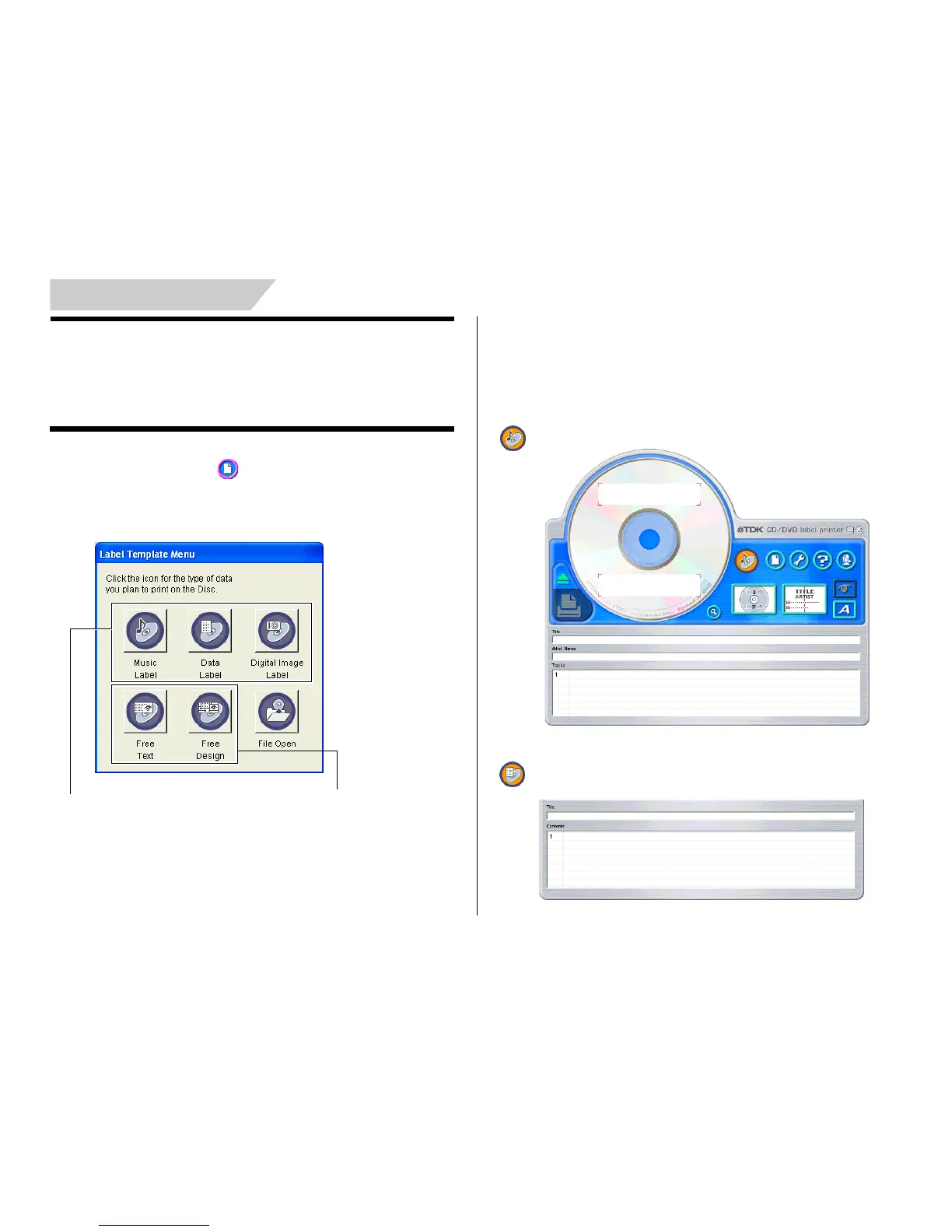
This displays a dialog box for selecting the label template.
3.
Click the label template you want to use.
• You can select from among five label templates. Selecting a template
displays its main window, which contains the elements for the
template you select.
• Input the text you want.
Music Label
Data Label
Select one of these preset tem-
plates for easy label creation.
Select one of these templates to
create an original layout (page 57).


 To Next Page