46
3.
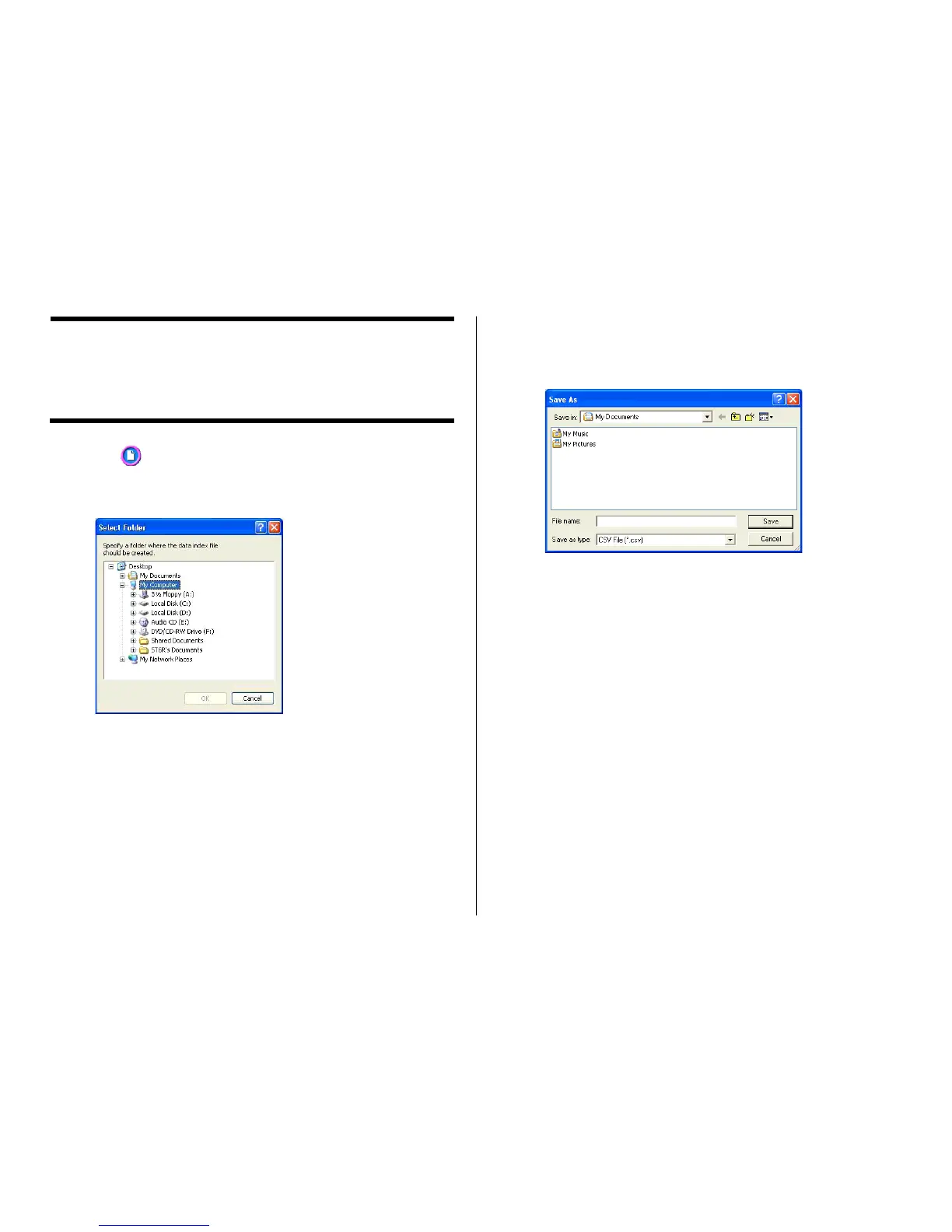
Select the folder for which you want to create a data index, and then
click OK.
This displays the Save As dialog box.
4.
Specify the folder in Save in and type a file name in to File name.
You can specify either CSV or TXT as the file type.
5.
Click Save to save the data and create a data index file.
Note
You can open a data index file using standard word processor or
spreadsheet software, and then print from there.
Creating a Data Index File
For a disc that contains so much data that it cannot fit on a label, you
can use the following procedure to create a data index file that you can
print out on a computer printer.
1.
Click the button.
2.
On the menu that appears, click Create Data Index File.
This displays a dialog box for selecting a folder.


 To Next Page