57
Original Label Making
Creating an Original Label Layout
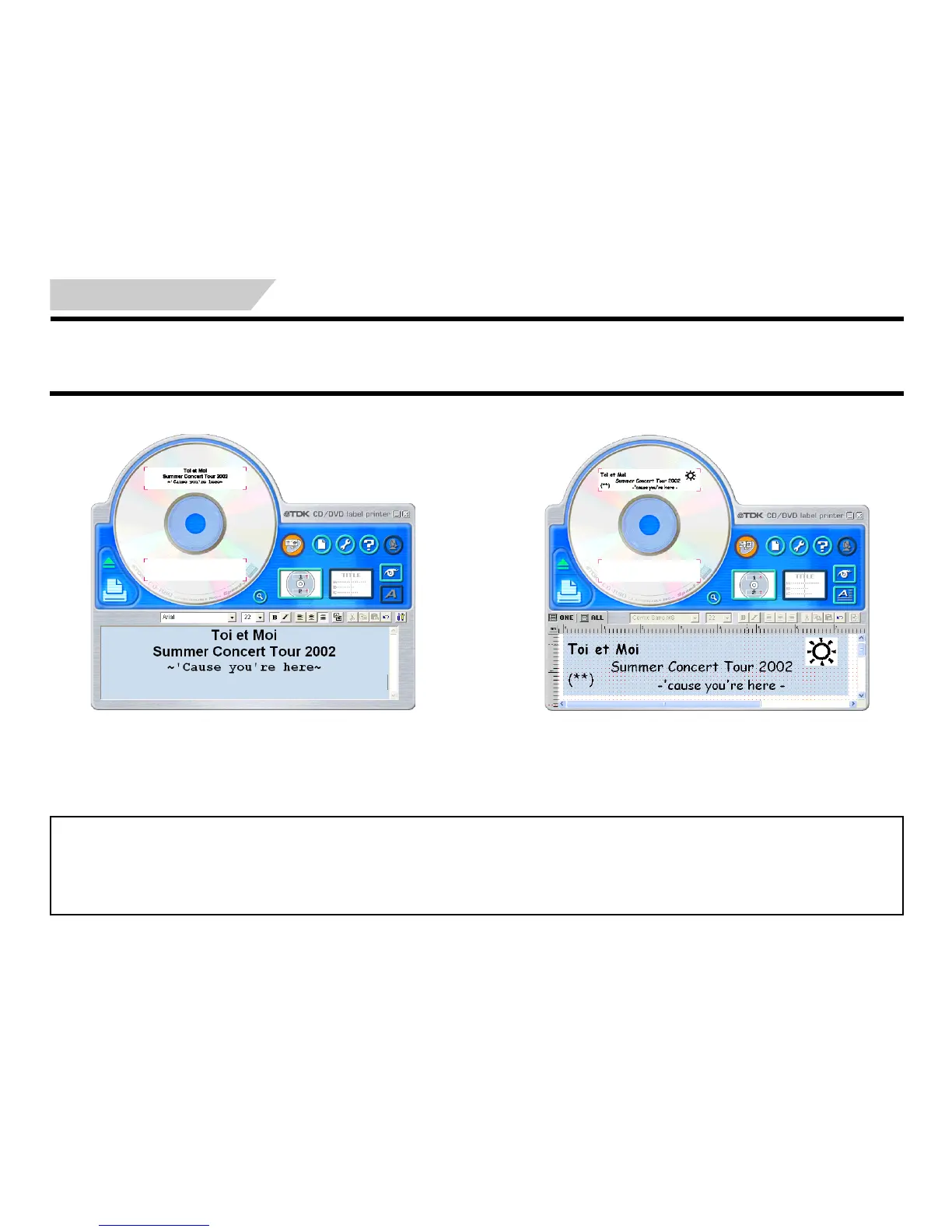
There are two templates for creating an original label layout: the Free Text label template and the Free Design label template. For details about more
basic label creation procedures, see the steps under “Automated Label Layout”.
Free Text Label Template
• The Free Text label template lets you input text using many of the same
techniques available on a word processor application.
• You can specify the font, font size, and other settings on a text string
level. Images can be inserted as the background of a label (page 62),
and you can even insert different images for the upper label area and
the lower label area.
Free Design Label Template
• The Free Design Label Template gives you maximum control over the
appearance of the label you are creating.
• It lets you input text and images into individual fields, which you can
then place in label areas as you like.
• You can have a total of 40 fields in the upper and lower label areas.
Free Text and Free Design Common Characteristics
• The following characteristics are common to both the Free Text label template and the Free Design label template.
• CD-Text, Media Player, and Easy CD Creator track name data, as well as file names and folder names can be impor ted into labels.
• Font and font size settings are configured using toolbar buttons.
• The Text Layout panel appears dimmed, which means it is not available.


 To Next Page