EasyManua.ls Logo

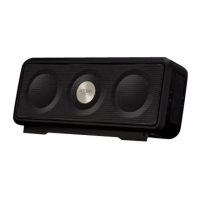
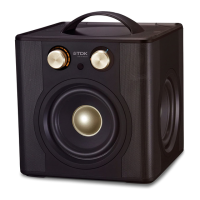
TDK TREK Micro A12 - User Manual

TDK TREK Micro A12
4 pages
Print Icon
To Next Page IconTo Next Page
Loading...
TREK Micro
Wireless Speaker
TDKperformance.eu
A12
User Guide
Please read these instructions completely
before operating this product
TREK Micro
Wireless Speaker
TDKperformance.eu
A12
User Guide
Please read these instructions completely
before operating this product
ON / OFF / TW
SA
UX INAUX OUT
TWS
O
On
Aux Out
Aux In
+
ON / OFF / TW
SA
UX INAUX OUT
Hold until
“beep”
Pair with BLUETOOTH
Pair with NFC*
TREK Micro
ON
Bluetooth
Bluetooth
ON
0-0-0-0
AUX IN
ON / OFF / TWSAUX INAUX OUT
Controls
ON / OFF / TWSAUX INAUX OUT
Flashing
Blue
Charging
White
Flashing Red
Red
(Charging)
ON / OFF / TWSAUX INAUX OUT
Hold until “beep”
Appuyez jusqu’au « bip »
Tenere premuto finché non viene emesso un
segnale acustico
Mantener presionado hasta escuchar un pitido
Ingedrukt houden tot de pieptoon
Drücken und halten bis zum Piepton
Przytrzymać, aż pojawi się charakterystyczny dźwię
Нажать и удерживать до зуммера
Premir até ouvir sinal sonoro
Podržte, dokud nezapípá
Paina, kunnes kuulet merkkäänen
삐 소리가 날 때까지 누름
*Requires NFC enabled Phone
*Nécessite un téléphone équipé NFC
*Richiede un telefono abilitato per NFC
*Se requiere un teléfono con tecnología NFC
*Vereist een telefoon met NFC
*Erfordert ein NFC-fähiges Telefon
*Potrzebny jest telefon z NFC
*Требуется телефон, поддерживающий технологию
NFC (коммуникации ближнего поля)
*Requer um telefone com NFC
*
Vyžaduje telefon umožňující NFC
*Vaatii NFC:tä käyttävää puhelinta
*
NFC 사용 전화기가 필요합니다
ON / OFF / TWSAUX INAUX OUT
Question and Answer IconNeed help?

Do you have a question about the TDK TREK Micro A12 and is the answer not in the manual?

Summary

Speaker Controls and Connectivity

NFC Pairing Guide

Instructions for pairing the speaker with NFC-enabled phones.

Bluetooth Pairing Guide

Instructions for establishing a Bluetooth connection with the speaker.

Auxiliary Audio Input

Information on connecting audio sources using the AUX IN port.

Speaker Charging

TWS (True Wireless Stereo) Setup

Initiating TWS Pairing

Steps to connect two TREK Micro speakers for stereo sound.

TWS Pairing Status Indicators

Understanding LED signals during TWS pairing.

Left and Right Channel Assignment

Identifying speaker roles for stereo sound.

Aux Out (Bluetooth Receiver Function)

Connecting as Bluetooth Receiver

Instructions to use the speaker as a Bluetooth receiver.

Receiver Pairing Procedure

Steps for pairing devices to the speaker in receiver mode.

Audio Status Indicators

English Status Descriptions

Meanings of LED lights for speaker status.

TDK TREK Micro A12 Specifications

General IconGeneral
BrandTDK
ModelTREK Micro A12
CategorySpeakers
TypePortable Bluetooth Speaker
BluetoothYes
Bluetooth Version2.1 + EDR
Battery Life6 hours
Wireless Range33 feet (10 meters)
WaterproofNo
Weight0.22 kg
Input3.5mm Aux-in

Related product manuals