Need help?
Do you have a question about the TDK Tremor S60 and is the answer not in the manual?
Keep speakers away from water, heat, and ensure proper ventilation to prevent damage and ensure safe operation.
Follow guidelines for power sources, grounding, polarization, and power cord protection to prevent electrical hazards.
Avoid liquid entry, clean properly, do not self-service, install safely, and keep media away from the system.
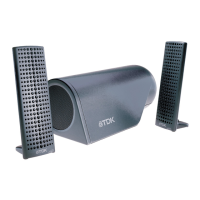
High-fidelity sound powered by NXT Surface Sound™ flat-panel technology for rich, detailed audio.
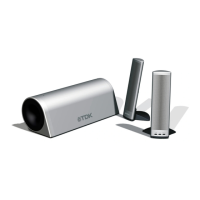
Lists all components included in the TDK Tremor speaker system package.
Follow these simple steps for initial setup and to start using your TDK Tremor speakers.
Position satellites facing the listening area for best sound dispersion and a wider sweet spot.
Place the subwoofer on the floor or near a wall to enhance low-end frequencies.
Detailed steps for connecting the TDK Tremor system to computers or audio devices.
Learn how to adjust the overall system volume using the main control.
Key technical details including power output, frequencies, and impedance for the S-60 model.
A guide to common sound levels and their perceived loudness in decibels.
Solutions for when the speaker system produces no audio output.
Tips for fixing issues with one or both speakers having low or no sound.
How to reduce or eliminate unwanted noise or hiss from the audio system.
Details of the one-year limited warranty, including coverage and duration.
Information on what the warranty does not cover and legal disclaimers.
Contact details for TDK Electronics Corp. to obtain warranty service and support.
Instructions on how to register your TDK Tremor speakers online for support.
 General
| Type | Portable Bluetooth Speaker |
|---|---|
| Connectivity | Bluetooth, 3.5mm Aux-in |
| Waterproof | IPX7 |
| Frequency Response | 20kHz |
| Water Resistance | IPX7 |

 To Next Page