Tempo
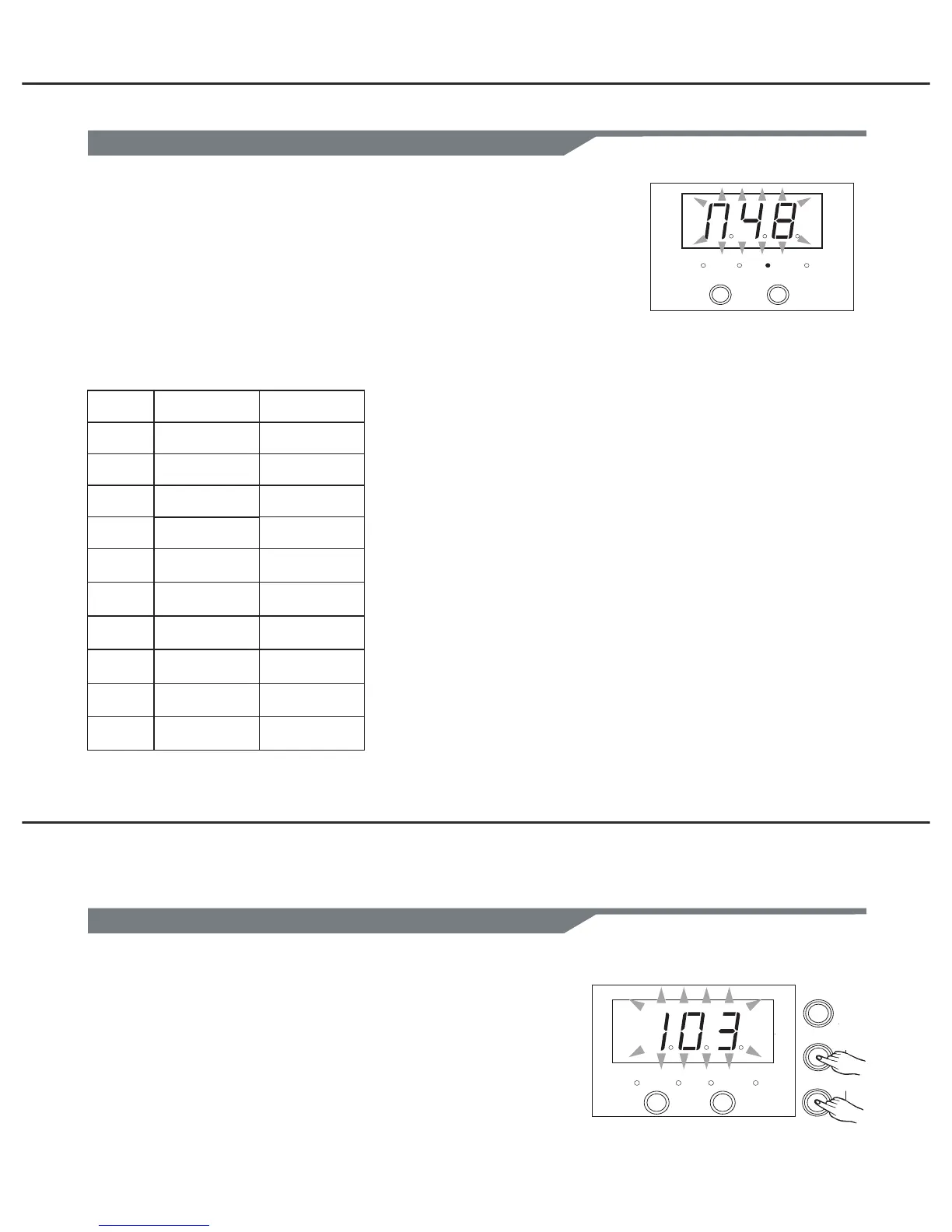
The tempo range is 30-280
1.Press both [MODE] and [ PAGE ] buttons, the 3-digit-LED
will display the tempo page, it will temporarily display for
3 seconds.
2. Press [+] or [-] to adjust the value.
THE DEFAULT MIDI NOTE:
NO.
1
2
3
4
5
6
7
8
9
10
NAME
CRASH1
TOM 1
TOM 2
TOM 3
RIDE
KICK
SNARE
HIHAT CLOSE
HIHAT OPEN
HIHAT PEDAL
NOTE
49
48
45
43
51
36
38
42
46
44
CLICK
MODE
PAGE
TEMPO
PATTERN
KIT
VOICE CLICK
+
-
Voice
Adjust the midi note
Adjust the tempo
11
In voice mode, midi note:(0-99).
1. Press [MODE] button to select the voice mode, the voice
LED indicator will be lighted up.
2. Press [PAGE] button to select the midi note page, strike a
strike a drum pad, the 3-digit-LED will display the midi note
3.Press [+] or [-] to adjust the value(Automatic save).
Range:(0 to 99).
PATTERN
KIT
VOICE CLICK
+
-
PAGE 3
(n48).


 To Next Page