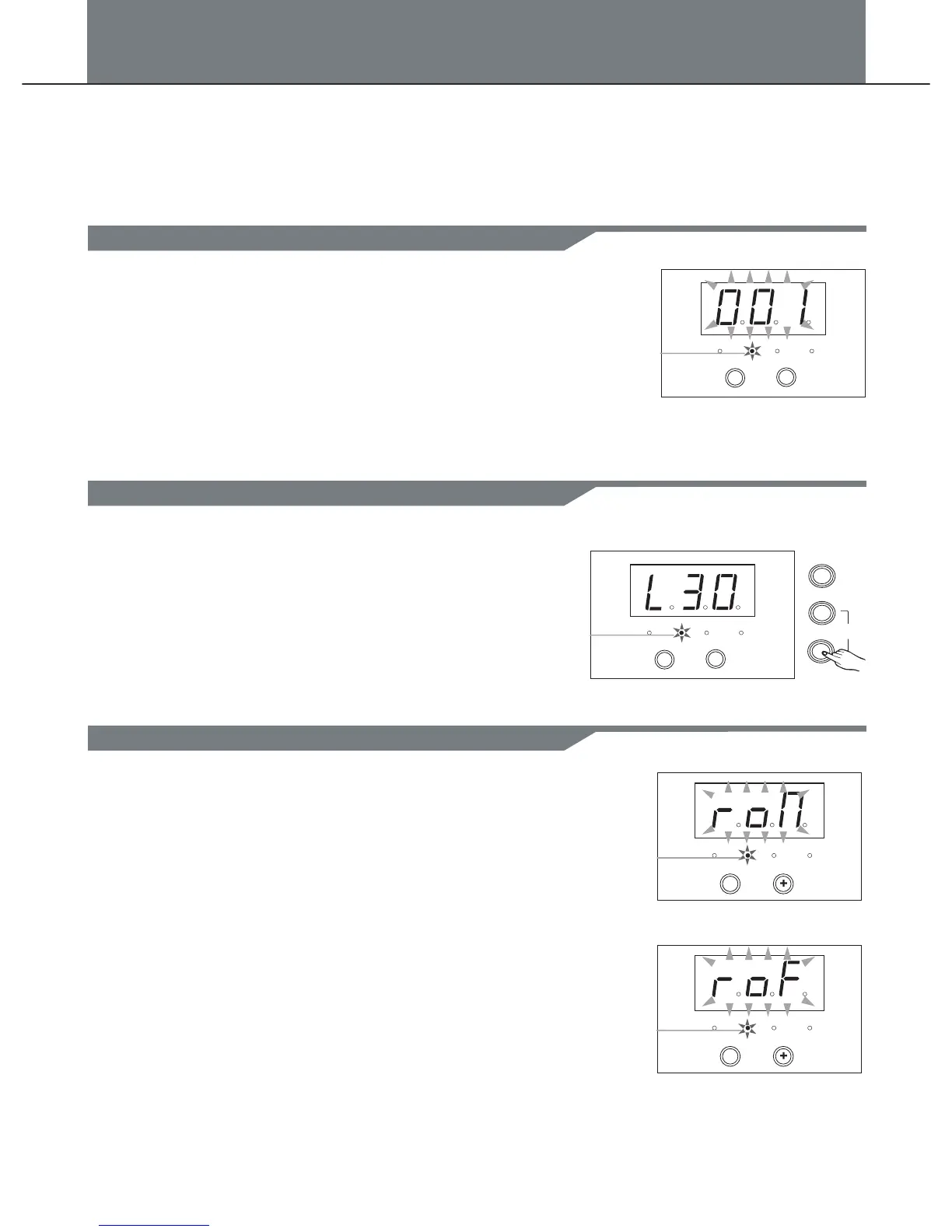
In kit mode, kit volume (0-32).
1. Press the [MODE] button to select the kit mode, the kit LED
indicator will be lighted.
2. Press the [PAGE] button to select the kit volume page, the
3-digit-LED will display the kit volume(L30).
3.Press [+] or [-] to adjust the value (Automatic save).
Range:(0 to 32).
Select a kit
In kit mode, kit number(001-010,default 1).
1. Press [MODE] button to select the kit mode, the kit LED
indicator will be lighted up, the 3-digit-LED will display the
kit number(001).
2. Press [ + ] or [ - ] to adjust the value.
Range:(001-010).
1. Press [MODE] button to select the kit mode, the kit LED
indicator will be lighted up.
2. Press the [PAGE] button to select the kit reverb page,
reverb effect can be turn on or off by pressing button [+] or [-].
In kit mode, there are 3 pages:
1. kit number(001-010,default 1).
2. kit volume (0-32).
3. kit reverb:(on/off, default on).
CLICK
MODE
PAGE
TEMPO
Figure Kit volume
PAGE 2
PATTERN
KIT
VOICE CLICK
Kit LED indicator
+
-
PAGE 3
PATTERN
KIT
VOICE CLICK
-
PATTERN
KIT
VOICE CLICK
-
Kit LED indicator
Kit LED indicator
Figure number Kit
PATTERN
KIT
VOICE CLICK
Kit LED indicator
+
-
PAGE 1
Drum Kit
Select a kit
Adjust the kit volume
Switch reverb on/off
9


 To Next Page