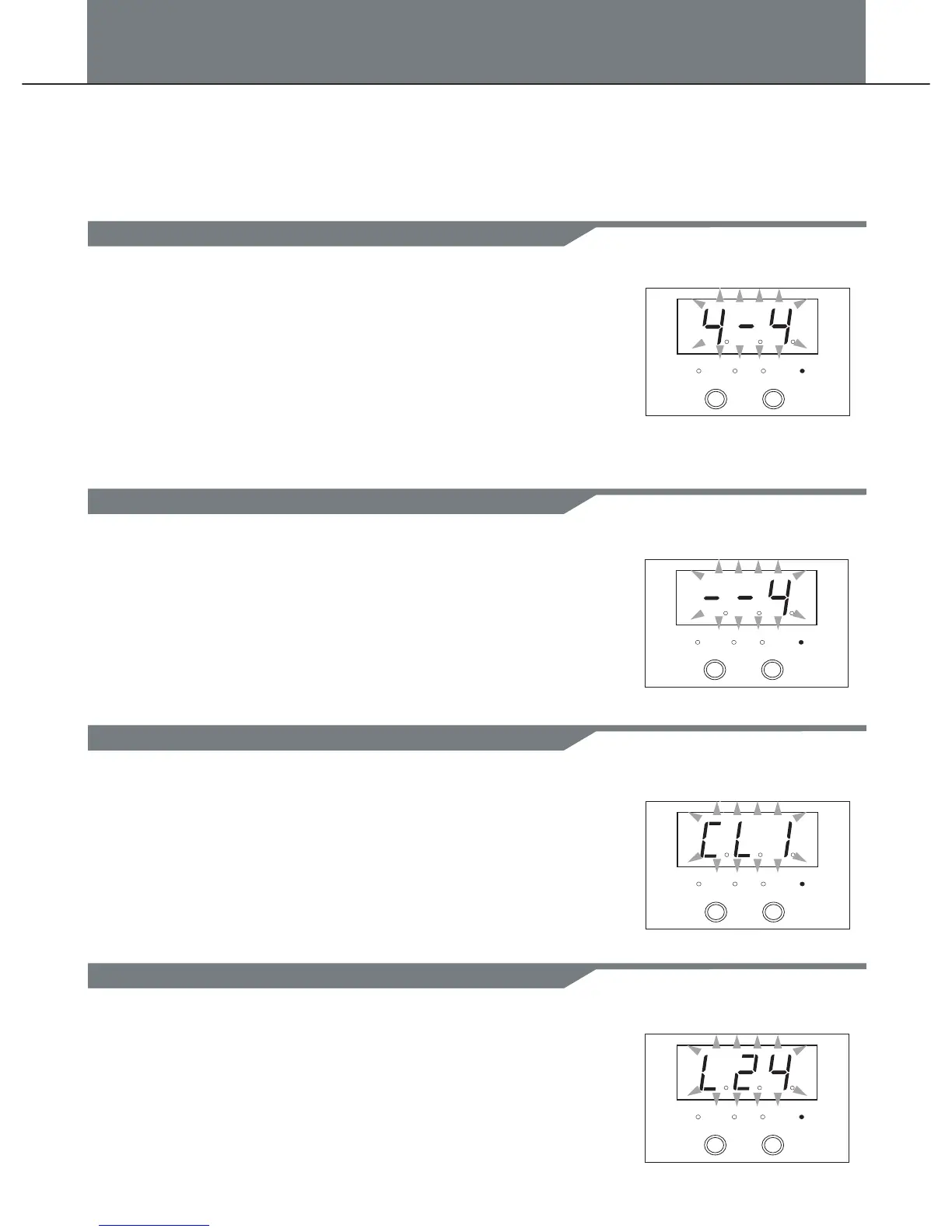
In click mode, Time signature:(1/4-7/4,3/8,6/8).
1. Press [MODE] button select the click mode, the click LED
indicator will be lighted up.
2. Press [PAGE] button select the click time signature page,
the 3-digit-LED will display the click time signature(4-4).
3. Press [+] or [-] to adjust the value.
Range:(1/4-7/4 or 3/8 or 6/8).
Note: The click time signature will follow the pattern, when
pattern is playing, it can not be edit.
In click mode, interval:(1/4,1/8,1/12,1/16,1/24,default 1/4).
1. Press [MODE] button to select the click mode, the click LED
indicator will be lighted up.
2. Press [PAGE] button to select the click interval page, the
3-digit-LED will display the click interval .
3. Press the [+] or [-] button to adjust the value.
(--4)
In click mode, instrument:(1-5,default 1).
1. Press [MODE] button to select the click mode, the click LED
indicator will be lighted up.
2. Press [PAGE] button to select the click instrument page, the
3-digit-LED will display the click instrument(CL1).
3. Press [+] or [-] to adjust the value.
Range:(CL1 to CL5).
PATTERN
KIT
VOICE CLICK
+
-
PATTERN
KIT
VOICE CLICK
+
-
PATTERN
KIT
VOICE CLICK
+
-
In click mode, volume:(0-32).click
1. Press [MODE] button to select the click mode, the click LED
indicator will be lighted up.
2. Press [PAGE] button to select the click volume page, the
3-digit-LED will display the click volume(L24).
3. Press [+] or [-] to adjust the value.
Range:(0 to 32)
PATTERN
KIT
VOICE CLICK
+
-
In click mode, there are 4 pages:
1.Time signature:(1/4-7/4,3/8,6/8).
2. Interval:(1/4,1/8,1/12,1/16,1/24,default 1/4).
PAGE 1
PAGE 2
PAGE 3
PAGE 4
Adjust the click time signature
3. Instrument:(1-5,default 1).
4. Click volume:(0-32).
Adjust the click interval
Range:(--4 to -24).
Adjust the click instrument
Adjust the click volume
12
Click


 To Next Page