1-84 System 3
RZ-UDP Communications Interface
To send a data packet to the RZ processor:
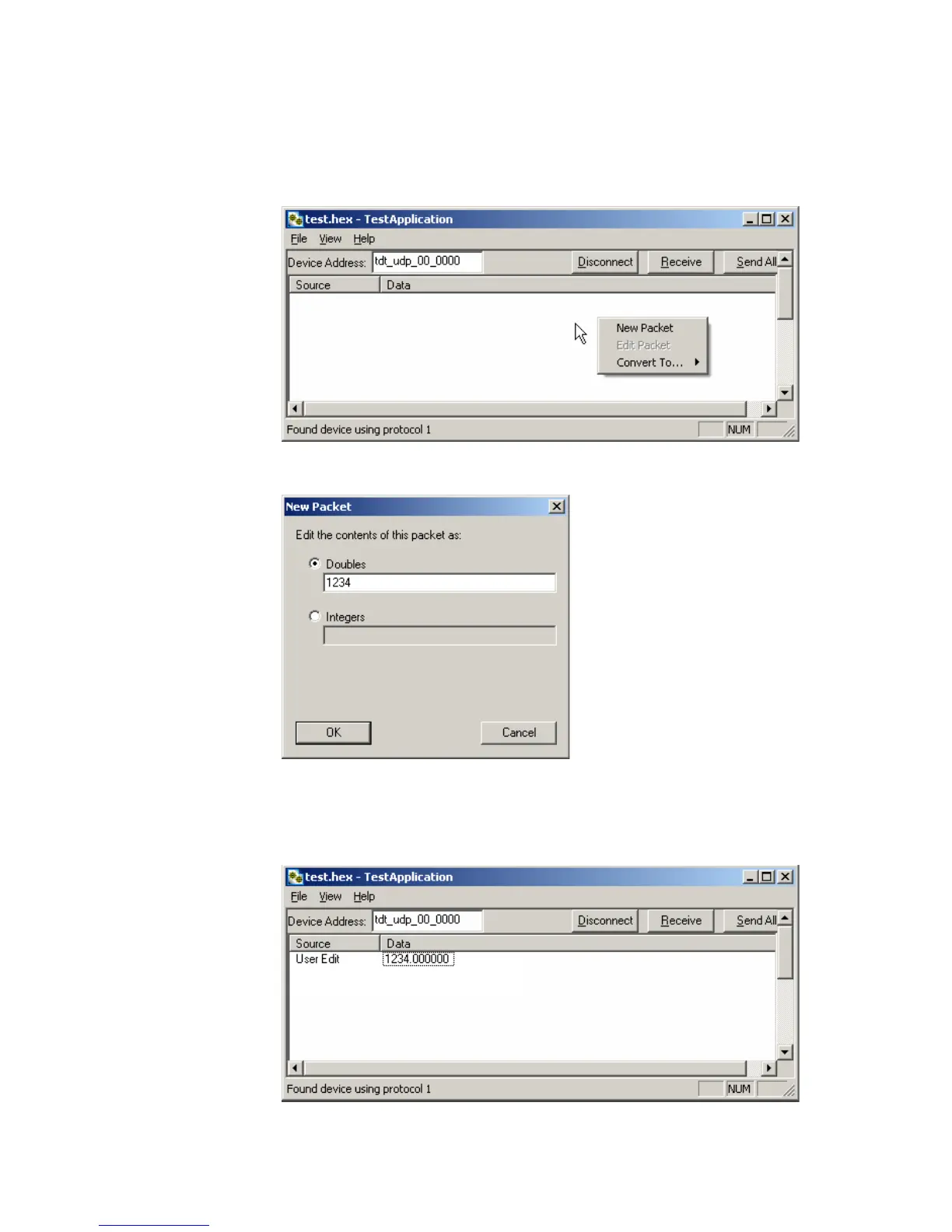
1. Double-click anywhere in the Test Application packet window.
or
Right-click to bring up a selection dialog box and select New Packet.
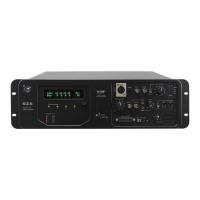
This prompts a dialog box where values can be edited.
2. Click the Doubles radio button and enter “1234”.
3. Click OK.
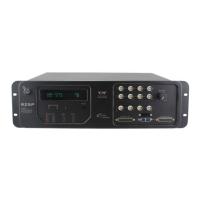
The configured data packet is shown in the Test Application packet window.


 To Next Page