System 3 1-85
RZ-UDP Communications Interface
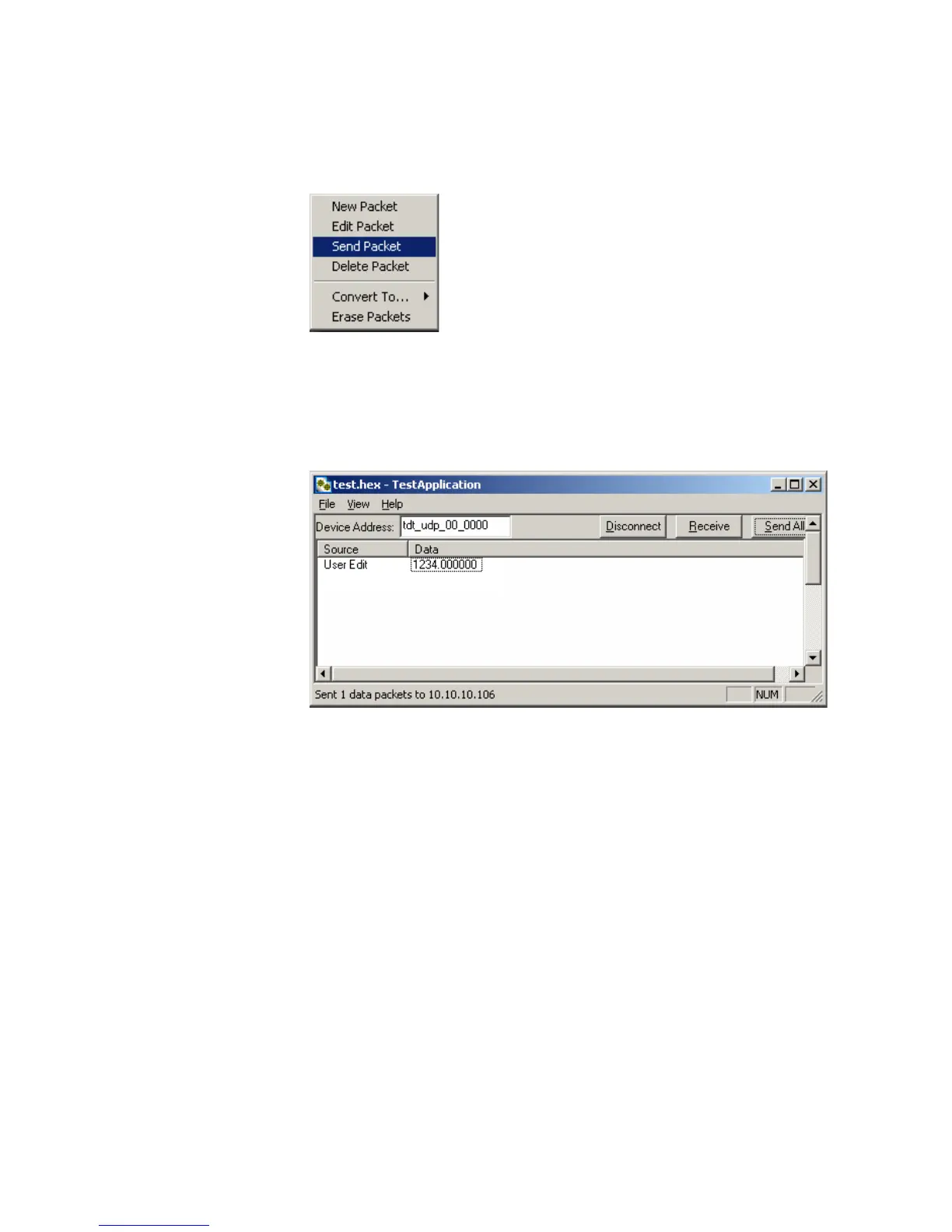
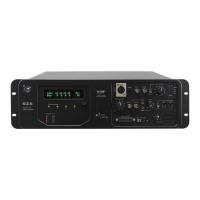
4. Click the Send All button to send all data packets to the RZ processor.
or
Send an individual packet by right-clicking on the desired packet and
selecting Send Packet from the Packet Dialog menu.
The status bar displays that the packet was sent to the RZ processor. Data
packets are received through RPvdsEx using the RZ_UDP_Rec macro.
To receive a data packet sent from the RZ processor:
1. First, run the Test Application by double-clicking the TestApplication.exe
icon.
2. Enter the NetBIOS name or IP address of the RZ processor you wish to
send a packet to in the Device Address text box.
3. Click the Check button.
4. Click the Receive button.
The button changes to Stop in order to notify that it is waiting for a data
packet to be sent from the RZ processor. Data packets are sent through
RPvdsEx using the RZ_UDP_Send macro.
5. At this time you may configure the circuit to send a data packet from the
RZ processor to the Test Application.
Once received, the data packet will be displayed in the Test Application
packet window. The Source column will display the IP address the data
packet was received from while the Data column displays the data packet
itself.


 To Next Page