EasyManua.ls Logo

Teac A-1250 - Recording in 4 Track Stereo; Stereo Recording Process; Microphone Recording; Line Input Recording

Teac A-1250
24 pages
Print Icon
To Next Page IconTo Next Page
To Previous Page IconTo Previous Page
Loading...
Recording
in
4 Track Stereo
All recording
with the A-1250
is
accomplished
from the
left
reel
to the right.
At
the completion
of
the first
two
tracks,
the
reels are
interchanged
and
the remaining
two tracks are
recorded.
At this
time
you
may affix
the
sensing
tape
and
you
ale
equipped
for
playback
in
either
dtrection.
The
automatic
reverse
will function
at the
end
of side
one
(the
first
two
recorded
channels)
to reverse
the
direction
of
tape
travei,
play
back
the remaining
two
channels
and
the
recorder
will
stop
when the
second
two channels
have been
played through.
Recording
with
microphones
Plugs
from
the
two
microphones
are
plugged
into the
microphone
jacks
(MlC
L,
R) on
the
front
panel-the left
microphone
plug into
L, and
the
right
one
into R. The
microphone
recording
levels are
controlled
by
the
MIC knob
above.
Use a
microphone
with
an
impedance
of
10K
o
or
lower.
A
600o
microphone
can
also
be
used.
Recording
from
a
phono
player,
tuner,
tape, etc'
-
REC.
O-UT
from
your stereo
amplifier
or
preamplifier
outputs
from
your
phono
player,
radio
tuner,
tape
player
and
others
must
all
go to
the
LINE
IN
jacks (
refer
to
page
2).
Recording
level
ol
signals
to
LINE
IN
are
controlled
by
the
LINE
knob
on
the
front
Panel.
Sound
mixing
of
mic.
with
the
phono
player,
tape
or other
sound
With
the
microphones
plugged
into
MIC
lN and
the
proper
sources
into
LINE
IN,
each
signal
is controlled
by
iheir
respective
knobs
to set
the recording
level'
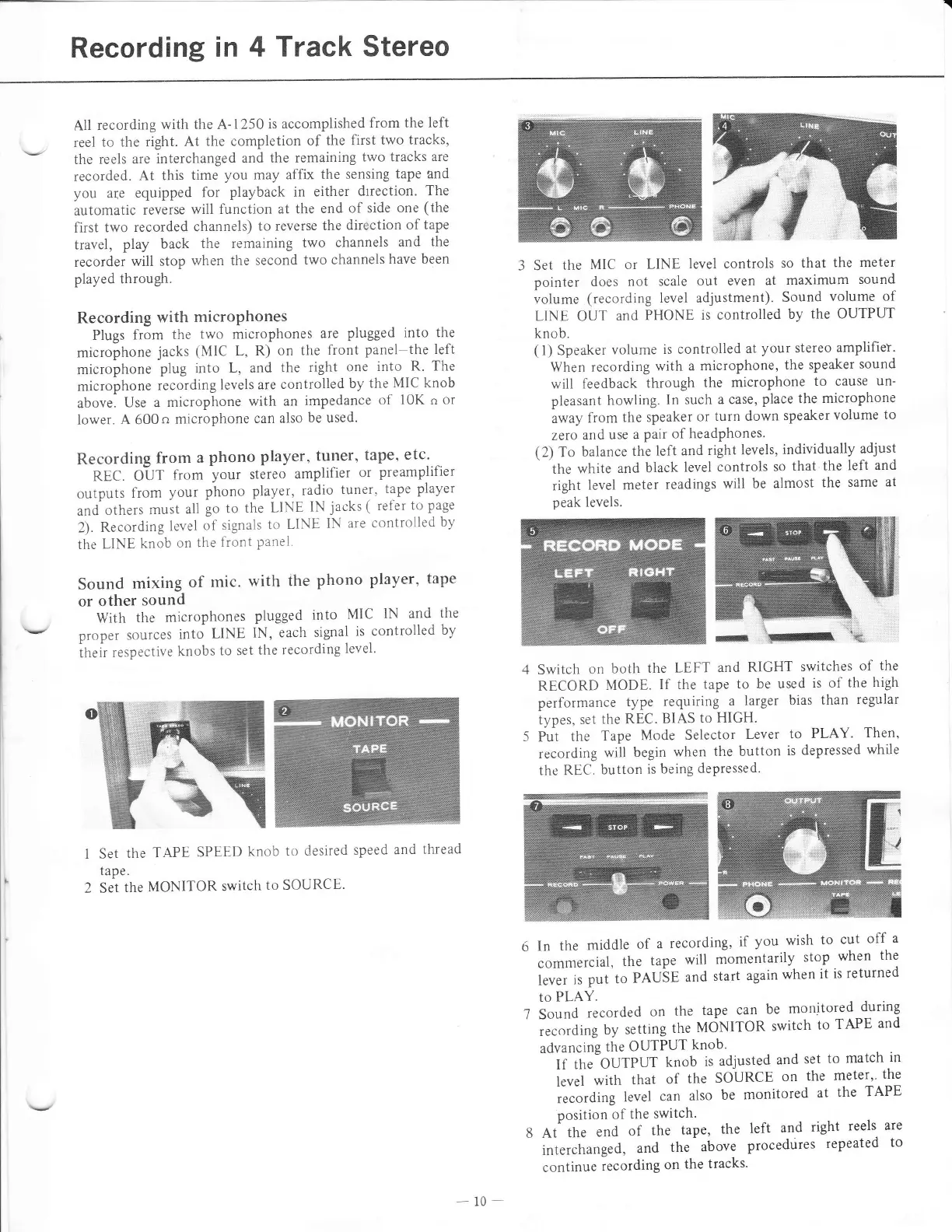
Set
the
TAPE
SPEED
knob
to desired
speed
and
thread
tape.
Set the
MONITOR
switch
to SOURCE.
3 Set
the
MIC or
LINE
level controls
so
that
the meter
pointer
does not
scale
out even
at maximum
sound
volume
(recording level adjustment).
Sound
volume
of
LINE OUT
and
PHONE
is controlled
by
the OUTPUT
knob.
(l)
Speaker
volume
is controlled
at
your stereo amplifiet.
When
recording
with a microphone,
the
speaker
sound
will
feedback
through
the
microphone
to cause
un-
pleasant
howling.
In such
a case,
place the
microphone
away
from
the speaker
or
turn down
speaker
volume
to
zero
and
use
a
pair of headPhones.
(2)
To
balance
the
left and
right
levels,
individually
adjust
the
white
and
black
level
controls
so
that
the
left and
right
level
meter
readings
will
be almost
the
same
at
peak
levels.
4 Switch
on
both
the
LEFT and
RIGHT
switches
of
the
RECORD
MODE.
If the
tape
to be used
is of
the
high
performance
type
requiring
a
larger
bias
than
regular
types,
set
the REC.
BIAS
to HIGH.
5
Put
the
Tape
Mode
Selector
Lever
to
PLAY'
Then,
recording
will
begin
when
the button
is
depressed
while
the REC.
button
is being
depressed.
5
In
the
middle
of
a
recording,
if
you
wish
to
cut
off
a
commercial,
the
tape
will
momentarily
stop
when
the
i;;;
;;
put to
PAUbE
and
start
again
when
it
is
returned
to
PLAY.
7 Sound
recorded
on
the
tape
can
be
monitored
during
recording
by
setting
the
MdNITOR
switch
to
TAPE
and
advancing
the
OUTPUT
knob'
If
thebUTPUT
knob
is
adjusted
and
set
to match
in
level
with
that
of
the
SOURCE
on
the
meter''
the
,ecorAing
level
can
also
be
monitored
at
the
TAPE
position
of
the
switch'
8 At
the
end
of
the
tape,
the
left
and
right
reels, are
-
int.r.t
unged,
and
the
above
procedtires
repeated
to
continue
recording
on
the
tracks'
-10-

Related product manuals